
AI tools change quickly, but the process for learning them can remain stable. This guide provides a practical workflow for evaluating a new AI tool, learning its core features, testing it with realistic examples, and deciding whether it belongs in your work.
Quick answer
Begin with one task, use non-sensitive sample data, read the official documentation, and create a small test set. Compare the AI output with a trusted source, document failures, and check export, privacy, pricing, and permission controls before adopting the tool.
Best for: professionals comparing writing, research, design, meeting, coding, or automation tools.
Why task-first evaluation works
A feature list does not show whether a product fits your workflow. Start by writing down the job you need completed, the acceptable input, the expected output, and the person responsible for checking it. This prevents a polished demonstration from becoming a substitute for evidence.
For example, “help with research” is too broad. “Extract the main claims from five public documents and provide a link to the source of each claim” is testable. The clearer task also exposes whether the tool supports citations, structured output, and correction.
Step 1: Check the official product information
Use the vendor’s documentation to confirm supported platforms, account requirements, current plan limits, data controls, and export options. Do not rely on an old tutorial for pricing or interface details. Save the documentation links you used and record the date of the evaluation.
For workplace use, review whether administrators can control sharing, retention, integrations, and access. A tool that is acceptable for public marketing copy may be inappropriate for customer records, contracts, source code, or internal strategy.
Step 2: Define a representative test set
Create several examples from the type of work you actually perform, but remove personal or confidential information. Include normal cases, incomplete inputs, contradictory information, and a request the system should refuse or mark as uncertain.
Write the expected result before running the test. Without a reference point, users tend to reward fluent wording even when the output is incomplete or wrong.
Step 3: Learn the smallest useful workflow
Ignore advanced integrations at first. Learn how to create a task, provide context, revise an instruction, inspect sources, export the result, and delete test data. Complete the same workflow several times before adding templates or automation.
If the tool supports reusable instructions, keep them short and versioned. Explain the intended audience, required format, evidence rules, and prohibited actions. Test changes against the same examples so you can identify regressions.
Step 4: Evaluate accuracy and usefulness separately
An output can be readable but inaccurate, or accurate but unusable. Score factual support, completeness, format compliance, clarity, and the amount of human correction required. For research tasks, open every important source. For calculations, reproduce the result independently.
Use AILooma’s practical framework for evaluating AI answers when the output may inform a decision. Keep examples of failures; they are essential for defining where human review is required.
Step 5: Inspect privacy and permissions
Before uploading real data, confirm what the service stores, who can access shared workspaces, whether inputs may be used to improve models, and how deletion works. Settings differ between products and plans, so use the current official privacy and administration pages.
Give integrations the minimum permission required. Avoid granting access to an entire mailbox, drive, repository, or customer database when a limited folder or test account will work. AILooma’s guide to protecting sensitive data when using AI tools covers this decision in more detail.
Step 6: Test interoperability and recovery
Export a result in a format you can use without the product. Check whether links, formatting, comments, and structured fields survive. If the tool creates automations, test duplicate events, invalid inputs, rate limits, and service outages.
Document how to disable the integration and revoke credentials. A tool is easier to adopt responsibly when leaving it is also straightforward.
Step 7: Measure a real baseline
Complete the task manually and record the time, corrections, and final quality. Then repeat with the AI-assisted workflow. Do not publish a percentage improvement from a single trial. Use enough repetitions to understand normal variation and include review time in the comparison.
Examples of task-specific learning
Writing and editing
Test whether the tool can transform a supplied draft while preserving facts, citations, tone, and required terminology. Compare edits line by line and retain the human-approved original.
Research
Require links to primary sources and reject unsupported claims. A research assistant should help locate and organize evidence, not become the evidence.
Design
Check licensing, provenance, accessibility, editable exports, and consistency across variations. Canva documents its AI tools and current usage limitations in its official help center.
Workspace assistance
For products such as Notion AI, test permissions with a small workspace and read the current help documentation. Confirm which connected sources the assistant can search and which account plan controls availability.
Automation
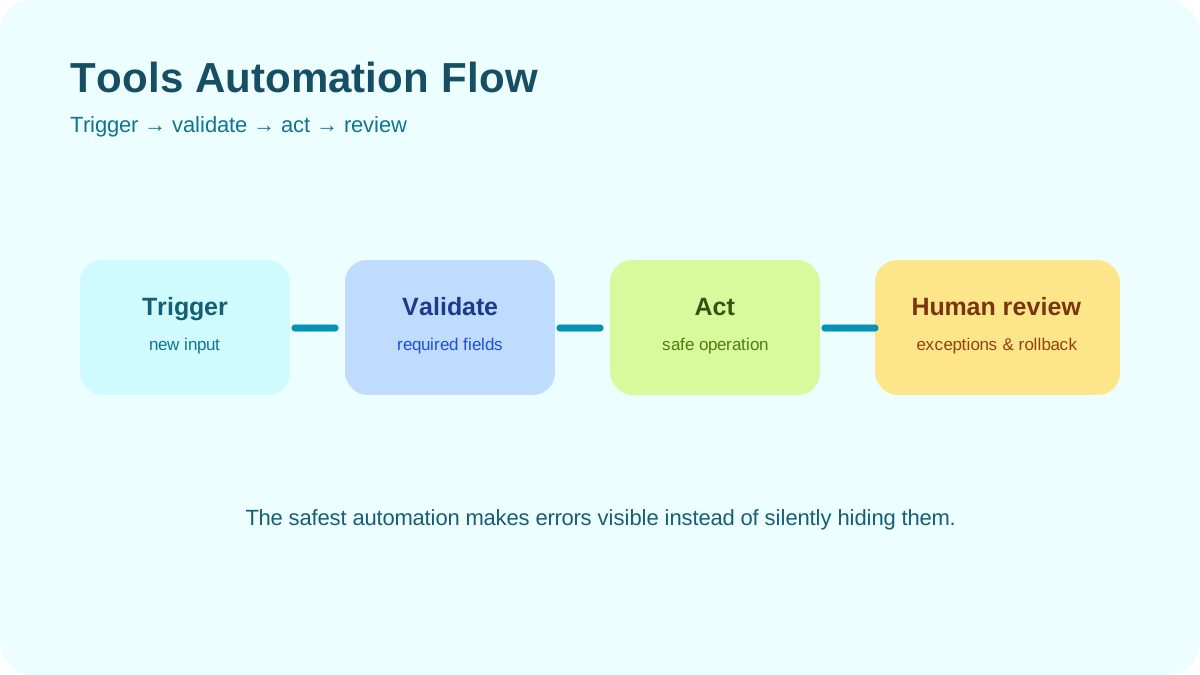
Keep a human approval step before external messages, publication, purchases, deletion, or permission changes. Log the input, output, tool call, failure, and approval.
Adoption checklist
- The task and owner are defined.
- Official documentation and current plan terms were reviewed.
- Tests use safe, representative data.
- Important claims are independently verifiable.
- Permissions follow least privilege.
- Check whether the tool supports export and deletion, then verify both controls using non-sensitive sample data before relying on them.
- Failure handling and rollback are documented.
- The benefit remains after review time and subscription cost are included.
Final takeaway
Learning an AI tool is not about mastering every button. It is about understanding one workflow well enough to predict its value, detect its failures, and maintain control. A disciplined evaluation makes product changes less disruptive because your method survives when the interface does not.
Primary sources
Practical example: a one-hour evaluation of a new AI tool
Before adopting an unfamiliar AI service for work, use a small test pack rather than a single impressive prompt. Include one normal request, one ambiguous request, one request containing a deliberate factual trap, and one request that contains sensitive information replaced with safe placeholders.
- Record the tool version, plan, usage limits, and data-retention description.
- Run the same test pack twice to see whether results are stable.
- Check citations, export quality, error handling, and whether the tool clearly signals uncertainty.
- Inspect permissions and revoke access that is not needed for the test.
- Decide whether the tool is suitable for production, limited experiments, or neither.
Save the test notes and a redacted output sample. A repeatable evaluation record helps a team explain why it adopted a tool and gives it a baseline for checking future updates.
Practical verification and limits
Use a representative test set, score accuracy and editing effort, review retention and permissions, and run a limited pilot before connecting sensitive work.