An automated workflow should do one bounded job, handle predictable failures, and leave a trace that helps a person understand what happened. This guide uses an illustrative webhook-to-record pattern to explain safe design in n8n. It is a configuration template, not a workflow AILooma has run or benchmarked; exact node options can vary by n8n version and connected service.
Define the job and its boundary
Example: receive an approved form submission and create a corresponding record in a destination system. Keep the workflow to data transfer and validation. Do not let this sample approve a loan, send a customer decision, or perform another high-impact action automatically.
Before building, write down the event source, fields the destination requires, how duplicates are recognized, who owns failed events, what data may be retained, and which account is allowed to connect the systems. If the receiving system offers an API with a unique external identifier, use it to make repeat submissions detectable.
Illustrative flow
Receive. Use a Webhook trigger for a source that can send a signed or otherwise authenticated request. If your source already has a supported n8n trigger, prefer that over exposing an unnecessary endpoint.
Normalize. Map incoming fields to a small, documented shape. Preserve the original event ID and timestamp; do not forward unrelated form fields.
Validate. Check required fields, types, allowed values, and consent or authorization conditions. Route invalid submissions to a review path instead of silently creating a record.
Check for an existing event. Use a stable source event ID or destination-supported idempotency key. A retry should not create a second record or send a second notification.
Write to the destination. Use the supported integration node or HTTP Request node with a credential stored in n8n’s credential system. Map only the approved fields and handle the destination’s success and error responses separately.
Respond and record status. Return a suitable response to the sender and log a minimal event identifier, outcome, and workflow version. Do not log tokens or unnecessary personal data.
Handle errors. Route failures to an error workflow or an owned queue. Retry only when the operation is safe to repeat; treat timeouts as uncertain until the destination state is checked.
Example event shape
The following is fabricated sample data for explanation only:
Use a test address and a non-production destination while validating field mapping. A test payload is not evidence that the full integration works with your live accounts.
Test before activation
Send a valid event and confirm each mapped field at the destination.
Send the same event twice and verify it does not create duplicate side effects.
Send a missing-field and invalid-type event; confirm it follows the review/error path.
Simulate an unavailable destination and check how the failure is surfaced and retried.
Confirm a timeout does not trigger a blind duplicate write.
Verify the webhook’s authentication, access permissions, and production URL before enabling the workflow.
Use n8n’s test and production behavior as described in the documentation for your version. Do not assume that seeing a successful test execution means a production workflow is active or protected.
Credentials, access, and execution data
Use dedicated credentials with the minimum scopes the workflow needs. Keep secrets in n8n’s credential storage rather than in plain-text fields or exported workflow files. Limit who can edit or share the workflow because access to a workflow can affect its connected credentials. Review execution retention and remove sensitive payloads from logs where they are not needed. For a self-hosted instance, review network exposure, updates, and the n8n security audit.
When this pattern needs more engineering
A simple workflow may not be enough when the source can deliver events out of order, the destination limits request volume, records require transactions across multiple systems, or a failure must be recovered without losing events. In those cases, document rate limits, backoff, queue ownership, reconciliation, and recovery procedures before making the workflow business-critical.
Translate the pattern into a workflow specification
Before placing nodes, write a small contract that can be checked independently of the n8n interface: required fields and types; accepted source; stable event identifier; destination operation; success response; error owner; retention rule; and the conditions that must never cause an automatic retry. Use the contract to review the workflow after a node or service changes.
Separate retryable failure from uncertain side effects
A timeout can occur after a destination has already accepted a write. Before retrying, look up the destination record by a stable source identifier or use an idempotent upsert if the destination supports one. Retry transient, safe-to-repeat operations deliberately; route validation failures, permission denials, and uncertain writes for inspection. Do not retry a non-idempotent email or payment action automatically just because the caller did not receive a response.
Check the production endpoint without exposing the workflow
Use a test webhook and non-production destination first. Validate a good request, a missing required field, a duplicate event, an unauthorized request, and an unavailable destination. Confirm the sender receives the expected response and that the failure path creates a minimal trace for the owner. n8n’s current Webhook workflow documentation explains test and production URLs; check the docs for the version you run before activation.
Define what execution data may be retained and who can inspect it. Keep credentials in n8n’s credential mechanism, avoid storing full sensitive payloads in an alert, and document how to disable the production workflow. For a beginner’s first simple automation, see the simple n8n workflow guide; this article focuses on reliability boundaries for an event-driven workflow.
Bottom line
Build the validation, duplicate handling, access controls, and error ownership into the workflow before enabling it for real events. Start with a test destination, inspect both success and failure paths, and keep a person responsible for exceptions.
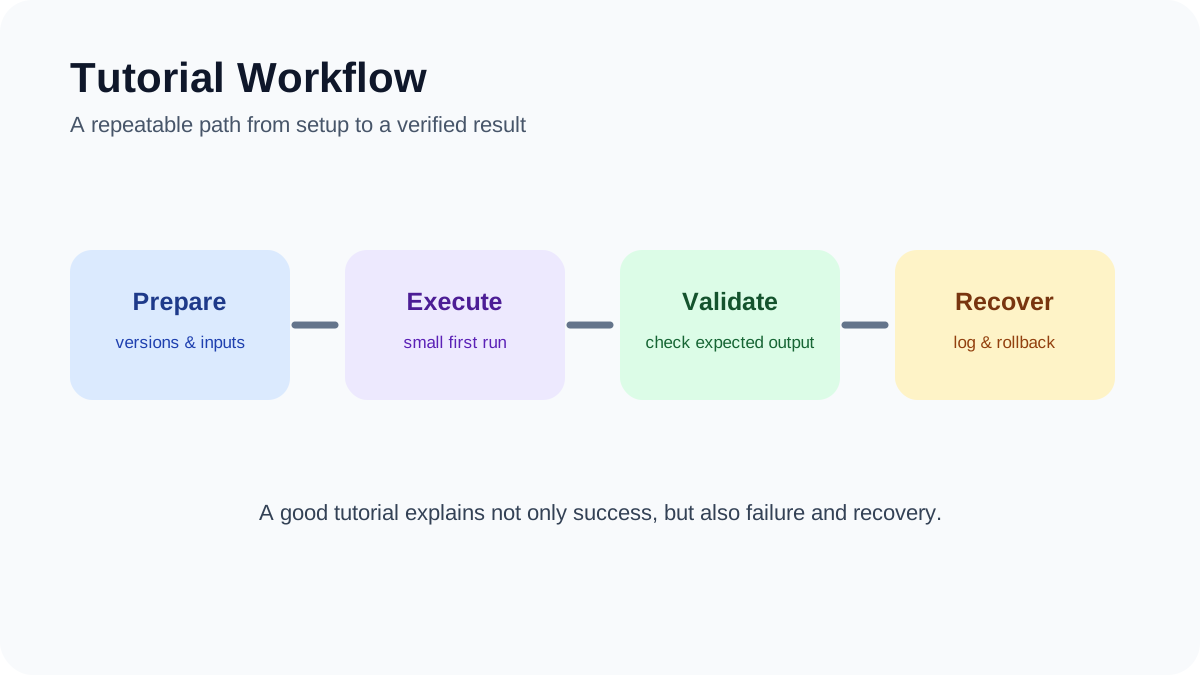
Tutorial Workflow. A repeatable path from preparation and execution to validation and recovery.
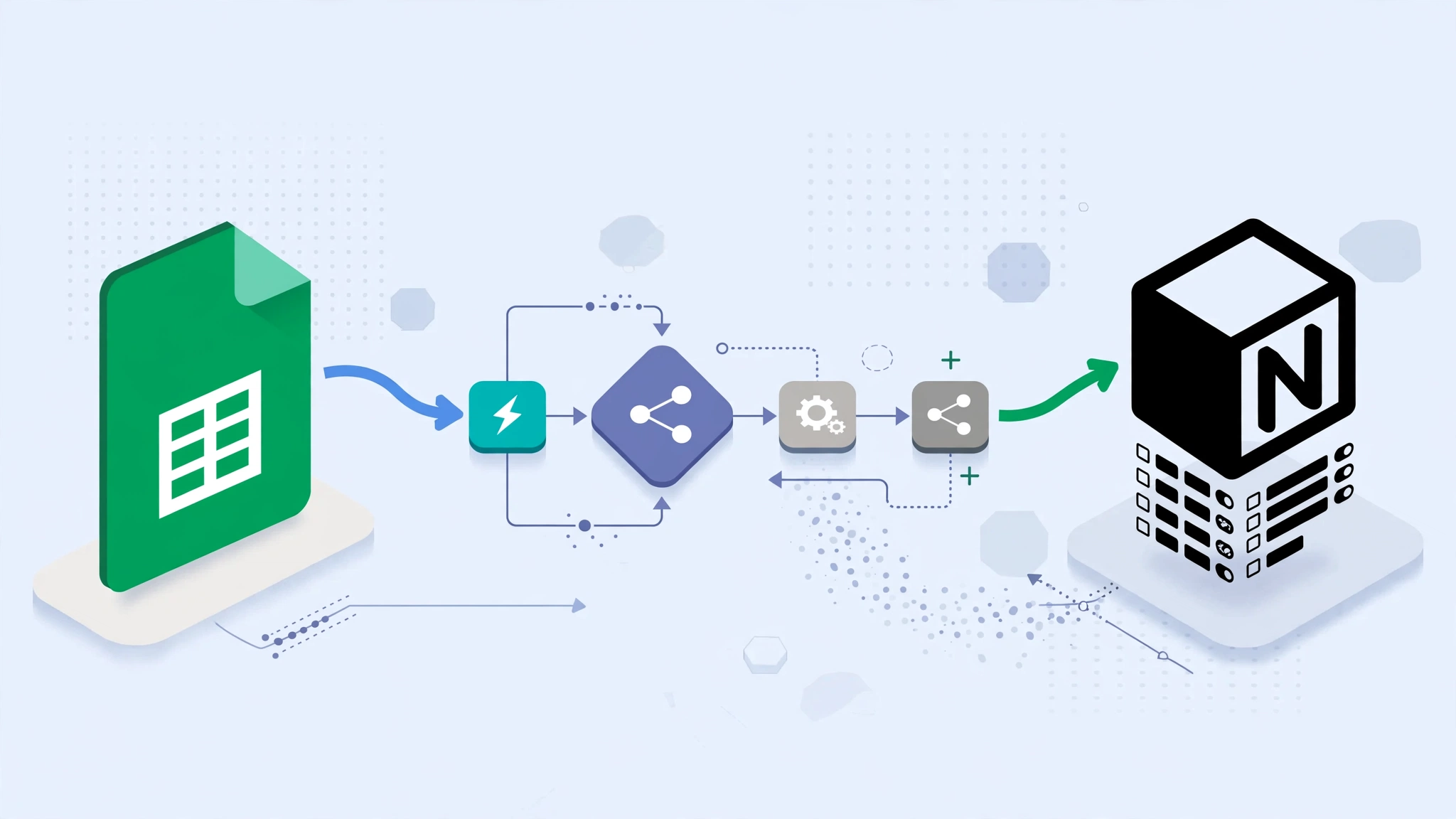
Google Sheets and Notion are both useful for organizing structured information, but they often end up containing the same data in different places.
A marketing team may track campaign metrics in Google Sheets while keeping project documentation in Notion. A support team may collect requests in a spreadsheet but manage follow-up work in a Notion database.
Instead of copying information manually, you can use n8n to sync Google Sheets with Notion.
This guide explains a practical one-way synchronization workflow, how to prevent duplicate Notion records, how to handle updates safely, and what to consider before attempting a more complicated two-way sync.
What Are We Building?
The basic workflow is:
Google Sheets
      ↓
n8n
      ↓
Validate and Transform
      ↓
Find Existing Notion Record
      ↓
Create or Update
      ↓
Log Result
Google Sheets remains the source of the incoming structured data, while Notion becomes the destination used for dashboards, project tracking, or team workflows.
Why Use n8n Between Google Sheets and Notion?
You could write your own script using the Google Sheets and Notion APIs.
n8n is useful because it provides a visual layer for:
authentication;
scheduled execution;
data transformation;
conditional branching;
API calls;
error handling;
execution history.
This makes the workflow easier to inspect than a collection of disconnected scripts.
It does not automatically make the workflow reliable, secure, or compliant. Those qualities still depend on how you design and operate it.
Example Use Case
For this tutorial, imagine a Google Sheet containing support tickets.
The columns are:
ID
Subject
Description
Status
Assignee
Created Date
Priority
We want each row to create or update a corresponding record in a Notion database.
The important field will be ID.
That ID acts as our stable identifier so the workflow can determine whether a row already exists in Notion.
Before You Start
You will need:
a Google account with access to the spreadsheet;
a Notion workspace;
a Notion database or data source for the synchronized records;
an n8n instance;
credentials for Google Sheets and Notion configured in n8n.
The exact authentication screens and node options can change between n8n and API releases, so use the current n8n documentation when connecting the accounts.
Step 1: Prepare the Google Sheet
Create a spreadsheet with predictable column names.
For example:
ID
Subject
Description
Status
Assignee
Created Date
Priority
TKT-001
Login problem
User cannot sign in
Open
alex@example.com
2026-09-01
High
Use a Stable ID
This is one of the most important parts of the workflow.
Do not use the row number as the permanent identity of the record.
Rows can move when someone sorts or inserts data.
Instead, create a unique ID such as:
TKT-001
TKT-002
TKT-003
That ID should not change during the lifetime of the record.
Step 2: Prepare the Notion Database
Create a Notion database with corresponding properties.
For example:
Subject — Title
ID — Text
Description — Text
Status — Select or Status
Assignee — Text or another appropriate property
Created Date — Date
Priority — Select
Last Synced — Date
The property types need to match the values the workflow sends.
For example, sending arbitrary text into a Notion date property will fail if it cannot be interpreted correctly.
Step 3: Connect Google Sheets to n8n
In n8n, create Google Sheets credentials using the authentication method supported by your environment.
Then add a Google Sheets node and select:
the Google account;
the spreadsheet;
the relevant sheet or tab;
the operation that reads rows.
Run the node once and inspect its output.
Do not continue building the workflow until the returned fields match what you expect.
Step 4: Connect Notion to n8n
Create a Notion integration and give it access only to the pages or databases required by this workflow.
Then create the Notion credential inside n8n.
A useful security rule is:
Do not give an automation access to more Notion content than it actually needs.
If the workflow only updates one support database, there is usually no reason to expose unrelated workspace content to the integration.
Step 5: Add a Trigger
For the simplest version, use a schedule.
For example:
Schedule Trigger
      ↓
Google Sheets
You might run it periodically depending on how fresh the data needs to be.
There is no universal requirement to run every minute or every five minutes.
Higher frequency creates more API traffic and more opportunities for overlapping executions.
Step 6: Read the Sheet Rows
Add the Google Sheets node after the trigger.
The output should produce one n8n item for each row you want to process.
This gives the transformation logic a predictable output.
Step 16: Handle Dates Carefully
Dates are another common source of errors.
Google Sheets can return dates differently depending on configuration and how the value is read.
Do not assume every Sheets date is automatically a Unix timestamp.
Inspect the actual value first.
Then convert it deliberately into an ISO 8601 date that Notion accepts.
Step 17: Add Error Handling
A production workflow should not simply stop without visibility when one item fails.
Common errors include:
Google authentication failure;
Notion authentication failure;
invalid property type;
missing required field;
API rate limiting;
temporary network failure;
deleted or inaccessible Notion destination.
Use n8n’s current error-handling features to route failures into a dedicated workflow or notification path.
Keep the failure information useful:
record ID;
workflow name;
failed step;
error message;
execution timestamp.
Step 18: Do Not Log Sensitive Payloads Unnecessarily
Execution logs can become a secondary copy of your business data.
If the Sheet contains:
customer information;
employee data;
private support conversations;
financial information;
review what n8n stores in execution history.
Logging everything indefinitely can create a privacy and security problem of its own.
Step 19: Respect Google Sheets API Limits
The Google Sheets API has usage quotas.
Current Google documentation recommends combining multiple reads or writes where practical because batch operations improve efficiency. :contentReference[oaicite:1]{index=1}
Do not design the workflow around outdated hard-coded quota numbers copied from old tutorials.
If Google returns a rate-limit response, apply retries with backoff rather than immediately repeating requests in a tight loop.
Step 20: Respect Notion API Rate Limits Too
Notion also applies rate limits.
Do not assume a fixed request-per-second number will remain unchanged forever.
Use the API’s returned status and retry guidance where available, and avoid making unnecessary requests.
Reduce Repeated Lookups
If every row requires:
one Notion search;
one update;
then 1,000 rows can generate a large number of API calls.
At larger scale, consider maintaining a mapping of:
Source ID → Notion Page ID
in a reliable store.
Do not cache IDs blindly forever, but there is also no reason to claim that Notion page IDs routinely change whenever pages move. The workflow should simply handle missing or inaccessible pages gracefully.
Step 21: Batch Carefully
Batching does not necessarily mean Notion provides a native “create 100 pages in one request” operation.
Instead, batching in n8n often means controlling how many items the workflow processes at a time.
For example:
1000 rows
   ↓
Process 20
   ↓
Wait / Continue
   ↓
Process Next 20
This helps control memory use and API pressure.
Step 22: Avoid Overcomplicating the First Version
The first production-worthy workflow does not need:
Redis;
multiple n8n workers;
a load balancer;
Prometheus;
Grafana;
custom CI/CD;
two-way synchronization.
Start with:
Schedule
  ↓
Read Rows
  ↓
Normalize
  ↓
Find by ID
  ↓
Create or Update
  ↓
Error Handling
Only add infrastructure when the workflow actually needs it.
Two-Way Sync Is Much Harder
It is tempting to say:
“If Sheets changes, update Notion. If Notion changes, update Sheets.”
But two-way synchronization creates several new problems.
Conflict Example
At 10:00:
Sheets Status = Open
At 10:01, someone changes Notion to:
Status = Resolved
At 10:02, someone changes Sheets to:
Status = Escalated
Which value should win?
Without explicit ownership or conflict-resolution rules, the systems can continuously overwrite each other.
A Safer Two-Way Sync Design
If two-way synchronization is genuinely necessary, define:
which system owns each property;
how changes are timestamped;
how the source of a change is recorded;
how loops are prevented;
what happens when both sides change;
how conflicts are surfaced to humans.
Example Ownership Model
Field
System of Record
ID
Google Sheets
Subject
Google Sheets
Priority
Google Sheets
Internal Notes
Notion
Review Status
Notion
This is usually easier to reason about than letting both systems edit everything.
When a Webhook Makes Sense
A schedule is often simpler.
Webhooks become useful when:
changes need to propagate quickly;
the source platform exposes a suitable event mechanism;
you can verify incoming requests;
the workflow can safely handle duplicate events.
Do not add webhook infrastructure only because “real-time” sounds better.
Security Considerations
A Sheets-to-Notion workflow may move business information between multiple systems.
Review:
who can access the Google Sheet;
which Notion pages the integration can access;
who can modify the n8n workflow;
where n8n credentials are stored;
how much execution data is retained;
whether the n8n instance is exposed to the public internet;
which fields contain personal or confidential information.
Self-Hosting Does Not Automatically Mean Secure
Self-hosting can provide more control over infrastructure and credential storage.
But it also makes you responsible for:
patching;
TLS configuration;
network security;
backups;
access controls;
monitoring;
incident response.
Do not treat self-hosting itself as proof of GDPR, HIPAA, SOC 2, or other compliance.
How to Make the Workflow Easier to Maintain
Use descriptive node names.
For example:
Read Support Tickets
Normalize Ticket Fields
Validate Ticket ID
Find Ticket in Notion
Create New Ticket
Update Existing Ticket
Record Sync Failure
This is easier to maintain than nodes named:
Google Sheets1
Code3
IF2
Notion4
Document Important Decisions
Add notes explaining:
which system owns each field;
why a field is transformed;
how duplicate detection works;
what happens when an API is unavailable;
who maintains the workflow.
A Practical Testing Checklist
Before activating the workflow, test:
a normal new row;
an existing row that needs updating;
a row without an ID;
an empty optional field;
an invalid status value;
an invalid date;
a temporarily unavailable Notion destination;
duplicate execution of the same source row.
The last test is especially important.
Running the same input twice should not create duplicate business records.
When Google Sheets Is the Wrong Source
Google Sheets works well for relatively simple collaborative datasets.
It becomes less attractive when:
the dataset is extremely large;
many systems write simultaneously;
strict transactional guarantees are required;
complex relational data is involved;
high-frequency synchronization is required.
At that point, a database may be a better system of record.
When Notion Is the Wrong Destination
Notion works well for team-visible records and knowledge workflows.
It may not be the best destination for:
high-volume telemetry;
raw event streams;
large analytical datasets;
systems requiring strict transactions;
machine-to-machine workloads with very high write rates.
Automation should fit the tools rather than forcing the tools into workloads they were not designed to handle.
How This Guide Was Prepared
This guide focuses on a practical synchronization pattern rather than a claim that there is one official architecture for connecting Google Sheets, Notion, and n8n.
The workflow uses observable concepts that remain useful even when individual node interfaces change:
a stable source identifier;
data normalization;
lookup before create;
controlled updates;
field ownership;
error handling;
human-readable execution history.
n8n nodes, Google APIs, Notion APIs, authentication methods, quotas, and property models can change over time. Verify current official documentation before deploying the workflow.
The examples here are architectural patterns. They are not claims that named companies or organizations use these exact workflows.
Frequently Asked Questions
Can n8n automatically sync Google Sheets with Notion?
Yes.
n8n can read data from Google Sheets and use it to create or update records in Notion.
The reliability of the sync depends on how you handle identifiers, duplicates, field mapping, errors, and conflicts.
Do I need to code?
Not for a basic workflow.
Many transformations can be built with n8n’s visual nodes and expressions.
JavaScript becomes useful when your mapping or validation logic becomes more complex.
Can I sync changes both ways?
Yes, but two-way sync is substantially more complicated than one-way synchronization.
You need rules for ownership, conflict resolution, update loops, and timestamps.
Start with one-way sync unless you genuinely need both directions.
How do I prevent duplicate Notion records?
Use a stable unique identifier from the source system.
Before creating a Notion record, search for that ID.
If it exists, update it. If it does not, create it.
Can I use the row number as the unique ID?
It is usually a poor choice.
Rows can change position when users sort, insert, or delete data.
A dedicated ID column is more reliable.
Should I use Google Sheets as the system of record?
It can work for smaller collaborative workflows.
For more complex, transactional, or high-volume systems, a database may be a better source of truth.
Does self-hosted n8n make the sync private?
Not automatically.
Google Sheets and Notion remain external services, so data sent to those platforms still leaves the n8n host.
Self-hosting mainly gives you more control over the orchestration layer.
Final Takeaway
A reliable Google Sheets-to-Notion workflow does not need to be complicated.
The most important pieces are:
use a stable record ID;
normalize the incoming data;
validate required fields;
search before creating;
update only the fields your source owns;
keep errors visible;
avoid unnecessary two-way synchronization.
Start with a simple one-way sync and test it against duplicate runs, bad data, and temporary API failures.
Only add webhooks, two-way updates, batching infrastructure, Redis, or distributed n8n workers when the workflow has a real need for them.
Map fields explicitly, test updates and deletions on copies, protect credentials, and add an idempotency key so retries do not create duplicate pages or rows.
Editorial review and limitations
Reviewed by Femica Maydinda Harend. This guidance favors documented, reversible checks. Product APIs, permissions, and policies can change; verify current details before acting.
Tutorial Workflow. A repeatable path from preparation and execution to validation and recovery.
Research often involves repetitive work that does not require constant human judgment: checking new papers, cleaning metadata, monitoring APIs, moving information between tools, preparing summaries, and notifying collaborators.
Those are good candidates for automation.
n8n research automation can connect research databases, APIs, spreadsheets, reference managers, cloud storage, messaging tools, and AI services into repeatable workflows without requiring every step to be written as a custom script.
This guide explores practical n8n workflow ideas for literature discovery, metadata enrichment, research monitoring, data validation, collaboration, and reporting—while keeping human review in the parts of research that require interpretation and judgment.
What n8n Can Automate in a Research Workflow
n8n works best as an orchestration layer.
It can receive data from one source, transform it, send it somewhere else, apply rules, call APIs, wait for events, and notify people when something requires attention.
In research, that makes it useful for tasks such as:
monitoring literature databases;
collecting metadata;
deduplicating records;
tracking new preprints;
updating spreadsheets or databases;
validating incoming datasets;
sending weekly research digests;
archiving workflow outputs;
routing items for human review.
Automation should reduce repetitive handling—not replace researchers’ responsibility for evidence quality, interpretation, methodology, or publication decisions.
Before You Automate: Separate Mechanical Work From Research Judgment
A useful way to design research automation is to divide tasks into two categories.
Good Automation Candidates
fetching new records;
normalizing metadata;
checking identifiers;
format conversion;
scheduled monitoring;
notifications;
basic validation rules;
copying data between approved systems.
Tasks That Should Usually Remain Human-Led
deciding whether a paper is methodologically strong;
interpreting conflicting evidence;
making causal claims;
assessing research ethics;
deciding study inclusion or exclusion in formal reviews;
drawing final conclusions;
approving publication-ready research outputs.
This boundary keeps automation useful without turning convenience into false confidence.
1. Literature Monitoring From PubMed
A simple starting workflow is a scheduled PubMed search.
A weekly digest is one of the most practical research automations because it turns a large collection of incoming records into a manageable review habit.
Workflow Example
Weekly Schedule
    ↓
Fetch This Week's New Records
    ↓
Filter / Rank
    ↓
Group by Topic
    ↓
Format Digest
    ↓
Send Email or Slack Message
A digest can include:
paper title;
source;
publication date;
abstract excerpt;
priority label;
link to original source;
review status.
If AI-generated summaries are included, keep the original abstract and source URL available for verification.
10. Dataset Freshness Monitor
Research projects often depend on external datasets that change without warning.
n8n can periodically check whether a dataset or endpoint has changed.
Possible Signals
ETag;
Last-Modified header;
content hash;
version number;
release metadata.
Workflow Example
Schedule
   ↓
HEAD / GET Request
   ↓
Compare Stored Metadata
   ↓
Changed?
 ↙       ↘
Yes       No
 ↓
Download
 ↓
Validate
 ↓
Archive
 ↓
Notify Team
11. Basic Dataset Schema Validation
Before a newly downloaded dataset enters analysis, n8n can perform basic structural checks.
Examples include:
required columns exist;
file is not empty;
expected data types are present;
known identifiers are unique;
date fields parse correctly;
unexpected columns are flagged.
Complex statistical validation may be better handled by Python, R, or a dedicated data-validation tool, with n8n orchestrating the process.
12. Survey Intake and De-Identification
n8n can also help route survey responses into a controlled processing pipeline.
Possible Workflow
Form Submission
    ↓
Check Required Consent Field
    ↓
Separate Identifiers
    ↓
Apply Approved Transformation
    ↓
Store Research Record
    ↓
Notify Research Team
However, removing names alone does not guarantee anonymity.
Research involving human participants should follow the approved study protocol, institutional requirements, and applicable privacy rules.
Do not assume that an automation workflow is compliant simply because it uses hashing or redaction.
13. Research Data Quality Alerts
Instead of manually checking incoming data every day, create rules that surface suspicious records.
For example:
missing required values;
duplicate identifiers;
unexpected date ranges;
values outside plausible limits;
schema changes;
failed API responses.
The workflow can route flagged records into Slack, email, Notion, Jira, or another review system.
14. AI-Assisted Literature Matrix
A literature matrix helps researchers compare papers using consistent fields.
n8n can automate the first-pass extraction.
Example Fields
research question;
study design;
population;
sample size;
main outcome;
stated limitation;
funding information;
source citation.
If AI is used to extract these fields, retain the source text and require human confirmation for anything important.
AI extraction should accelerate review—not silently become the authoritative dataset.
15. Human-Reviewed Research Summary Draft
Research summaries are another useful automation target when the distinction between drafting and validation is clear.
Safer Workflow
Verified Research Records
    ↓
AI Draft Generation
    ↓
Attach Source References
    ↓
Human Review Queue
    ↓
Edit / Approve
    ↓
Publish or Share
The workflow should not invent citations, fill missing evidence, or convert uncertain findings into definitive conclusions.
Where possible, require the model to work only from source material supplied to it.
16. Research Collaboration Notifications
Many useful automations are simple.
For example, when a team member changes a paper’s status from:
To Review → Included
n8n could:
notify the project channel;
add the paper to a shared literature matrix;
create a reviewer task;
record the change date.
This reduces coordination overhead without interfering with research judgment.
17. Workflow Version Backups
Automation itself becomes part of the research process.
If a workflow changes, the results may change too.
That makes versioning important.
A practical setup can periodically export important n8n workflows and store them in a version-controlled repository or another protected archive.
Record Alongside the Workflow
workflow version;
date changed;
reason for change;
API versions where relevant;
expected inputs and outputs;
maintainer.
18. Research Artifact Packaging
n8n can coordinate the steps required to prepare a research artifact for archiving.
For example:
collect approved files;
collect workflow exports;
generate a manifest;
package files;
upload them to an approved repository;
record the resulting identifier or archive URL.
Repositories such as Zenodo expose APIs that can be incorporated into automated publishing workflows.
Before automatically publishing research artifacts, keep a human approval step.
19. Provenance Logging
A research workflow should make it possible to understand where a record came from and what transformations were applied.
Useful Provenance Fields
source URL;
source identifier;
retrieval timestamp;
workflow version;
processing status;
validation status;
human reviewer where applicable.
This is often more useful than attempting to save every possible internal execution detail indefinitely.
20. Error Handling and Failure Notifications
Research automation should fail visibly.
A silent failure can create missing data that researchers may not notice until much later.
Plan for Common Failures
API rate limit;
expired credentials;
network timeout;
schema changes;
malformed JSON;
missing fields;
storage failure.
Depending on the workflow, you may use retries, Wait nodes, conditional branches, error workflows, or alerts.
Always verify current n8n behavior against the official documentation because node options and error-handling features can change.
A Practical n8n Research Automation Architecture
A maintainable research pipeline usually has several distinct stages:
Keeping these stages separate makes troubleshooting and auditing easier.
Start With One Workflow, Not an Entire Research Platform
The easiest mistake is trying to automate everything at once.
Start with one repetitive problem.
For example:
“I manually check PubMed every morning.”
“I keep copying new references into a spreadsheet.”
“Our team forgets to check new preprints.”
“We spend time fixing incomplete DOI metadata.”
Automate that first.
Once it works reliably, add another stage.
Security and Privacy Considerations
Research automation can process sensitive information, so security should be designed alongside functionality.
Consider:
where n8n is hosted;
who has access to credentials;
which data is stored in execution history;
how backups are protected;
which third-party APIs receive research data;
whether sensitive inputs are included in logs;
how long execution data is retained.
Self-hosting can provide more control, but it does not automatically make a workflow compliant or secure.
Do Not Treat Automation as Research Validation
This distinction deserves emphasis.
A workflow can verify that:
a DOI resolves;
a field exists;
a date is valid;
a record is duplicated;
an API request succeeded.
It cannot automatically establish that:
a study is methodologically strong;
a conclusion is justified;
a dataset is ethically appropriate;
a paper should be included in a systematic review;
a scientific claim is true.
Those are research judgments.
How This Guide Was Prepared
This guide focuses on workflow patterns that can realistically be implemented with n8n’s general automation capabilities, APIs, webhooks, scheduling, conditional logic, and integrations.
The examples are architectural patterns rather than claims that specific universities, research institutions, government agencies, or laboratories currently use these exact workflows.
API endpoints, authentication requirements, node availability, rate limits, and n8n features change over time. Always check current documentation before implementing a workflow.
For workflows involving human subjects, regulated information, sensitive research data, or formal publication pipelines, automation should be reviewed against the relevant institutional, ethical, legal, and security requirements.
Frequently Asked Questions
Is n8n good for research automation?
It can be a good fit when research work involves repeatable data movement, API calls, notifications, metadata handling, or integration between several tools.
It is less appropriate as a replacement for statistical analysis, methodological judgment, or scientific interpretation.
Do researchers need to know how to code?
Not necessarily for simple workflows.
n8n provides a visual workflow editor and many prebuilt integrations.
More advanced workflows may still benefit from knowledge of APIs, JSON, JavaScript, authentication, databases, Docker, or infrastructure.
Can n8n work with PubMed?
Yes, PubMed data can be accessed through NCBI’s supported APIs using HTTP requests.
Use the current NCBI documentation for endpoint details and usage requirements.
Can n8n work with Zotero?
Yes, Zotero exposes a web API that can be called from n8n.
Read and write capabilities depend on authentication and the API operation being used.
Can n8n be used for systematic reviews?
It can automate supporting tasks such as literature ingestion, deduplication, metadata collection, status tracking, notifications, and drafting assistance.
Formal inclusion decisions, risk-of-bias judgments, interpretation, and final synthesis should remain under appropriate human review.
Does self-hosting n8n make research data compliant?
No.
Self-hosting gives you more control over infrastructure and data flows, but compliance depends on the complete system, including permissions, security, retention, backups, third-party services, procedures, and applicable requirements.
Can AI be added to n8n research workflows?
Yes.
AI can help classify, summarize, extract structured fields, or draft material.
Keep the original sources available and use human review when AI output could influence research conclusions.
Final Takeaway
Research automation works best when it removes repetitive handling without removing human judgment.
n8n can help researchers build workflows that:
monitor literature;
collect metadata;
verify identifiers;
deduplicate records;
track dataset changes;
route work to collaborators;
prepare weekly digests;
maintain provenance;
archive research artifacts.
Start with one repetitive task, make the workflow observable, preserve source information, route uncertainty to humans, and only scale after the first automation is reliable.
Define an owner and rollback path for every workflow, test rate limits and duplicate events, and retain source URLs and timestamps so results remain auditable.
Editorial review and limitations
Reviewed by Femica Maydinda Harend. This guidance favors documented, reversible checks. Product APIs, permissions, and policies can change; verify current details before acting.
Tutorial Workflow. A repeatable path from preparation and execution to validation and recovery.
Keeping up with AI research, software updates, academic papers, industry reports, and policy announcements can quickly become overwhelming. The problem is not finding information—it is collecting the right information consistently without spending hours copying links into spreadsheets every week.
One practical solution is to build an automated research digest using n8n and Google Sheets.
In this guide, you will learn how to create a workflow that collects research from selected sources, removes obvious duplicates, stores useful metadata in Google Sheets, and prepares the data for a weekly review or digest.
The goal is not to automate judgment. The goal is to automate repetitive collection so you can spend more time deciding what actually matters.
What We Are Building
The basic workflow looks like this:
n8n runs on a schedule.
It collects new items from RSS feeds or APIs.
The data is converted into a consistent format.
Old or duplicate items are filtered out.
Useful items are saved to Google Sheets.
A second workflow can turn the week’s entries into a digest.
You can start with a single source and expand the workflow later.
Why Use n8n for a Research Digest?
n8n is a workflow automation platform that lets you connect APIs, feeds, databases, spreadsheets, email services, and other tools through visual nodes.
For this project, n8n is useful because it can handle several different parts of the research workflow:
scheduled execution;
RSS ingestion;
HTTP API requests;
data transformation;
filtering and deduplication;
Google Sheets integration;
email or messaging delivery;
basic error handling.
n8n can be used through its hosted service or deployed on infrastructure you manage yourself. The best option depends on your technical requirements, budget, and data policies.
Why Use Google Sheets?
Google Sheets works well as a lightweight research database because it is easy to inspect, edit, share, and annotate manually.
That manual access is important.
Automation should not lock you out of your own research process. If a workflow assigns the wrong tag or saves an irrelevant article, you should be able to correct it immediately.
A spreadsheet can store fields such as:
title;
source;
publication date;
URL;
DOI;
abstract or summary;
tags;
review status;
notes;
priority.
Architecture of the Research Digest
I recommend separating the system into four simple layers:
1. Sources
These are the places where new research or updates originate.
Examples include:
RSS feeds;
academic APIs;
official announcement feeds;
institutional repositories;
manual submissions.
2. Processing
This layer cleans and normalizes incoming information.
Typical tasks include:
standardizing field names;
checking publication dates;
removing duplicates;
checking required fields;
assigning basic tags or priorities.
3. Storage
Validated items are stored in Google Sheets.
The spreadsheet becomes the place where automated collection and human review meet.
4. Delivery
At the end of the week, another workflow can retrieve recent entries and create a simple digest for email, Slack, Notion, or another destination.
Step 1: Create the Google Sheets Structure
Create a new Google Sheet and name it something clear, such as:
Research Digest Master Log
Create a worksheet named:
Items
For a simple setup, use columns similar to these:
id
timestamp
published_at
title
source
url
doi
abstract
tags
priority
status
notes
You do not need every field on day one. Start with the fields you will actually use.
A Practical Status System
For example, the status column might contain:
New
Reviewed
Saved
Archived
This gives you a simple manual review workflow without needing another application.
Step 2: Connect Google Sheets to n8n
In n8n, create or configure Google Sheets credentials using one of the authentication methods currently supported by your n8n installation.
Because authentication screens and credential requirements can change, follow the current official n8n Google credentials documentation rather than relying on an old tutorial screenshot.
Once authentication works, test the connection with a simple operation such as reading rows from the spreadsheet.
Do this before building the full workflow. It is much easier to troubleshoot authentication separately from RSS and filtering logic.
Step 3: Create the Weekly Schedule
Create a new n8n workflow and add a Schedule Trigger.
Choose the day and time that fits your routine.
For example, you might run the workflow once every Sunday night so the collected information is ready for review on Monday.
The exact schedule is not important. Consistency is.
Step 4: Add Your First Research Source
Start with one source rather than ten.
For example, if you follow artificial intelligence research, you could begin with the arXiv AI RSS feed:
https://arxiv.org/rss/cs.AI
Add the appropriate RSS-reading node in n8n and test the output.
You will typically receive fields such as:
title;
link;
description;
publication date.
Normalize the Output
Different feeds often use different field names. Before combining multiple sources, convert them into your own consistent structure.
Do not add sources only because they are available. A research digest becomes less useful when low-quality sources overwhelm the ones you actually care about.
Step 6: Filter by Publication Date
If this is a weekly digest, you usually do not want to process months of historical items every time the workflow runs.
Compare each item’s publication date with your desired time window.
For example, you may choose to keep only entries published during the previous seven days.
Be careful with:
missing publication dates;
different time zones;
feeds that update old articles;
sources that publish timestamps in different formats.
Step 7: Prevent Duplicate Research Items
Duplicate handling is one of the most important parts of this automation.
The same paper may appear in several feeds, and some feeds repeat older entries.
Instead of trusting the title alone, consider using a stable identifier when one is available.
Good candidates include:
DOI;
canonical URL;
arXiv identifier;
another source-specific identifier.
If no stable identifier exists, you can create a normalized key from fields such as the title and URL.
Treat citation counts as contextual metadata—not as a direct measure of research quality.
Step 11: Create the Weekly Digest Workflow
Once collection is reliable, create a second workflow for presentation.
This workflow can:
run once per week;
read recent rows from Google Sheets;
filter out archived or irrelevant entries;
sort by priority;
format the remaining items;
send the digest.
A Simple Markdown Format
Your digest might look like this:
# Weekly Research Digest

## Priority Reads

- [Research title](https://example.com)
  Source: Example Journal

- [Another paper](https://example.com)
  Source: arXiv

## Other New Items

- [Article title](https://example.com)
- [Report title](https://example.com)
Simple formatting is usually better than an overly elaborate digest. The purpose is to help you decide what deserves further attention.
Step 12: Send the Digest
n8n can deliver the result through whichever integration fits your workflow.
Common destinations include:
email;
Slack;
Microsoft Teams;
Notion;
another database or API.
If you send email, test the formatting with a small internal recipient list before distributing it more widely.
Optional: Use AI to Summarize Research Items
AI can be added later to summarize abstracts or help categorize research, but it should be treated as an assistant rather than a source of truth.
A safer workflow is:
collect the original metadata;
store the original source URL;
ask the AI to create a short summary;
store that summary in a separate field;
keep the original abstract available for comparison.
Do not replace source material with an AI summary.
If the digest will inform important decisions, review the original research before relying on an automatically generated interpretation.
Error Handling: Know When the Workflow Fails
A useful automation should fail visibly.
Feeds can disappear, APIs can return errors, credentials can expire, and Google Sheets requests can fail.
At minimum, consider tracking:
which source failed;
the error message;
execution time;
whether other sources completed successfully.
n8n provides workflow execution information and error-handling features. The exact configuration depends on the version and deployment you use, so refer to the current n8n error-handling documentation.
Create a Simple Health Sheet
If this workflow becomes important to your research process, create another worksheet named:
Metrics
You can record useful operational information such as:
execution date;
items fetched;
new items stored;
duplicates skipped;
failed sources.
You do not need a complicated dashboard. Even a small log makes problems easier to notice.
Back Up Your n8n Workflows
Once the workflow becomes useful, keep a backup.
n8n supports workflow export, allowing you to save a workflow definition and keep versions outside the live installation.
You could store exported workflow files in Git or another backup location.
Before making a major change:
export the working version;
duplicate the workflow if necessary;
test changes against a separate sheet;
only apply them to production after testing.
Common Problems and How to Troubleshoot Them
The RSS Feed Returns No Items
Check the feed URL directly in your browser or RSS reader.
The publisher may have:
changed the feed URL;
temporarily disabled the feed;
changed its output format;
restricted automated access.
Do not assume every empty response is an n8n problem.
Google Sheets Writes Fail
Check:
Google credentials;
spreadsheet permissions;
sheet name;
column mappings;
API quota or rate-limit errors.
For large workflows, reducing unnecessary individual writes can also improve efficiency.
You Are Still Getting Duplicates
Inspect the values you use for deduplication.
A URL can differ because of:
tracking parameters;
HTTP versus HTTPS;
trailing slashes;
different versions of the same paper.
Where possible, prioritize stable identifiers such as DOI or arXiv ID.
Your Relevance Filter Removes Useful Research
This usually means the rules are too strict.
Instead of immediately deleting low-scoring items, consider storing them with a lower priority.
You can then compare automated scoring with your own judgment and improve the rules gradually.
Start Small Before Building the Advanced Version
It is tempting to build everything at once:
ten RSS feeds;
Semantic Scholar enrichment;
AI summaries;
Slack alerts;
automatic scoring;
PDF parsing;
dashboards.
I would not start there.
Start with this:
one RSS feed;
one Google Sheet;
basic deduplication;
one weekly schedule.
Use it for a week.
Then ask:
Am I actually reading the collected items?
Which sources produce the most useful material?
Which fields do I really use?
What repetitive work remains?
Automate those problems next.
A Practical Research Digest Checklist
Before relying on your automation, verify that:
the schedule runs at the expected time;
each source is still accessible;
publication dates are parsed correctly;
duplicates are not being inserted;
Google Sheets receives complete rows;
source URLs remain available;
failed executions are visible;
the weekly digest contains only the intended time period.
How This Guide Was Prepared
This guide focuses on a maintainable workflow pattern rather than presenting one rigid n8n configuration as the only correct implementation.
n8n nodes, authentication methods, APIs, third-party services, and user interfaces can change over time. When implementing the workflow, consult the current official documentation for the services you connect.
The architecture is intentionally modular so individual sources, filters, scoring systems, and delivery methods can be changed without rebuilding the entire process.
Frequently Asked Questions
Do I need programming skills to build this?
You can build the basic workflow without being an experienced programmer.
However, more advanced features—such as complex transformations, API integration, custom deduplication, or self-hosted services—may require familiarity with JSON, APIs, expressions, or JavaScript.
Can I use private research sources?
Potentially, yes, as long as you have authorization to access and process the information.
Authentication, privacy, licensing, and organizational policies should be considered before connecting internal systems to an automation workflow.
How much does the system cost?
There is no single fixed cost.
The total depends on:
whether n8n is self-hosted or hosted;
your server costs;
execution volume;
third-party APIs;
AI services;
Google Workspace requirements.
Always check current pricing from the relevant providers before designing the workflow around a specific budget.
Can I pause the weekly digest?
Yes. Disable or modify the workflow schedule when you do not want it to run.
For longer breaks, I prefer disabling the automation explicitly rather than embedding complicated holiday logic into the workflow.
Is a self-hosted n8n workflow automatically GDPR or CCPA compliant?
No.
Self-hosting gives you more control over infrastructure and data flow, but compliance depends on the data you process, where it is stored, who can access it, retention practices, third-party processors, security controls, and applicable legal requirements.
If your workflow processes personal or regulated information, review the relevant legal and organizational requirements rather than assuming that self-hosting alone guarantees compliance.
Final Takeaway
A weekly research digest does not need to be complicated to be useful.
The most valuable part of this workflow is not the number of integrations. It is having a consistent system that collects information from sources you trust, stores it in a format you can review, and removes repetitive manual work.
Start with one source and one spreadsheet. Make sure the workflow reliably collects useful material. Then add deduplication, prioritization, metadata enrichment, AI-assisted summaries, or additional delivery channels only when they solve a real problem in your process.
Automation should give you more time to evaluate research—not create another system you have to constantly manage.
Store source URLs, dates, and retrieval times; test missing fields and duplicate events; route failures to an owner; and verify relevance and copyright before sharing a digest.
Editorial review and limitations
Reviewed by Femica Maydinda Harend. This guidance favors reproducible, reversible steps. Features and policies can change, so verify current details before acting.
Tutorial Workflow. A repeatable path from preparation and execution to validation and recovery.
n8n is useful for connecting services and moving information through repeatable workflows. The best first automations are easy to observe, safe to retry, and still leave a person in control when a message, payment, deletion, or other consequential action is involved.
Quick answer
Start with one trigger, one clearly defined result, and test data. Add credentials through n8n’s credential store, design an error path, and review execution logs before activating the workflow. The ten ideas below are patterns to adapt, not promises that every service exposes the same fields or permissions.
Before you begin: confirm that each connected service permits the intended API use and that you are authorized to process the data involved.
1. Route email follow-ups
A workflow can watch a mailbox or form, apply a small set of rules, and prepare the next step. For example, it can create a CRM task when a qualified inquiry arrives or draft a follow-up after a meeting.
Keep sending behind approval until the filters and templates have been reviewed with real examples. Add a rule that stops the workflow when required contact data or consent is missing.
2. Synchronize approved records
n8n can copy selected fields between a spreadsheet, CRM, database, or project tracker. Choose one system of record, map stable identifiers, and define which side wins when both records change.
Do not build an unrestricted two-way sync as the first version. Begin with a one-way update and a small field set. Record the source ID and last synchronization time so a retry does not create duplicates.
3. Prepare social posts for review
A publishing workflow can take an approved content record, format variants for supported channels, and place them in a review queue. It can also notify the editor when media, alt text, or a destination URL is missing.
Platform APIs and posting policies change. Use official nodes or documented HTTP APIs, and require human approval before publication. Avoid automated replies that could impersonate a person or respond incorrectly during a sensitive conversation.
4. Organize incoming files
When a client or team uploads a file, a workflow can validate its type, create a consistent folder path, rename the copy, and notify the responsible person. Preserve the original until the new location has been verified.
File workflows need explicit size limits, allowed types, duplicate handling, and restricted credentials. Never expose a public webhook that accepts arbitrary files without authentication and validation.
5. Create meeting follow-up tasks
After a calendar event ends, n8n can collect approved notes, create proposed action items, and send them to a task manager for review. Store the calendar event ID so rerunning the workflow updates the same record instead of creating another copy.
Do not add attendees to marketing lists or send summaries automatically unless the organization’s policy and the participants’ expectations allow it.
6. Triage support requests
A support workflow can classify a new request using transparent rules such as product, language, account tier, or keywords, then assign it to the correct queue. An AI classification step can be useful, but uncertain or high-risk requests should go to a person.
Never let a classification alone close a ticket, issue a refund, expose account data, or change access. Log why the route was chosen and make reassignment easy.
7. Send focused operational alerts
n8n can receive a monitoring event, add context from another system, and send a concise alert to email, chat, or an incident tool. Deduplicate repeated events and include the affected service, time, severity, and a link to the source.
Build a recovery notification as well as a failure notification. Use rate limits or grouping so a noisy service does not flood the channel and hide the important event.
8. Assemble a newsletter draft
A workflow can collect items from an approved RSS feed or editorial database, normalize their fields, remove duplicates, and create a draft. Keep editorial selection, factual review, consent, and the final send with a person.
Do not scrape and republish full third-party articles. Store the source title, canonical URL, and a short original note explaining why the link matters.
9. Coordinate order and inventory events
For a small commerce workflow, an order event can create a fulfillment task, update an internal sheet, and notify staff when data is incomplete. Payment confirmation must come from the payment provider’s verified event, not from a browser redirect or customer-submitted field.
Use idempotency: store the order or event ID and check it before creating a label, refund, or inventory adjustment. Route unusual values, address problems, and partial failures to manual review.
10. Capture notes into a knowledge system
A workflow can save a bookmarked page, meeting note, or approved message into Notion, a database, or a file-based knowledge system. Add source URL, capture date, and content type so the information remains traceable.
Automatic tags are suggestions. Keep the original text and avoid sending confidential notes to an external model or service unless that transfer is authorized.
A safe pattern for building the first workflow
Write the trigger and expected final state in one sentence.
Use test credentials and non-sensitive sample records.
Add nodes one at a time and inspect each output.
Store credentials in n8n rather than inside code or workflow fields.
Add an error workflow or notification for failed executions.
Test retries, duplicate events, missing fields, and service timeouts.
Activate the workflow with a narrow scope and review early executions.
Restrict access to the n8n editor, use HTTPS, keep the installation current, back up the instance, and review community nodes before installation. Limit webhook exposure and validate incoming requests. For self-hosted installations, the operator is responsible for the server, database, secrets, updates, and recovery plan.
Review workflows when connected APIs change. A successful execution does not always mean the business result is correct, so monitor both technical errors and missing or duplicate records.
Editorial review and accountability
Written and reviewed by Femica Maydinda Harend. Examples in this article describe workflow patterns. Available nodes, API fields, pricing, and platform permissions can change; confirm the current documentation for every connected service.
Practical example: automating a weekly form-to-spreadsheet task in n8n
Use a deliberately small workflow first: receive a form submission, validate two required fields, add a row to a spreadsheet, and notify a human reviewer. This keeps the automation easy to inspect and easy to stop.
Create a test form and label every field that the workflow expects.
Trigger the workflow with one valid submission and one incomplete submission.
Normalize dates and text before writing them to the spreadsheet.
Route failed validation to a review branch instead of silently discarding it.
Run the workflow with test data, inspect each execution log, and only then connect the real form.
Document the credentials used, the destination table, and the rollback step. A useful automation is observable: someone can explain what happened, correct a bad record, and disable the workflow without losing control of the underlying data.
How to test an automation safely
Build each workflow with a clear owner, expected input, expected output, and recovery path. Test missing fields, duplicate events, expired credentials, rate limits, and partial failures before enabling a schedule. Keep credentials in the credential store, add an error notification, and review execution logs during the first production runs.
Good candidates for automation
Prefer repetitive tasks with predictable inputs and reversible outputs. Keep a human checkpoint for messages sent to customers, record deletion, financial actions, or changes to access rights.
Editorial review and limitations
Reviewed by Femica Maydinda Harend. This article distinguishes documented behavior from editorial judgment and uses checks readers can reproduce. Features, prices, interfaces, and compatibility may change; verify current details before making consequential changes.