Tag: beginner AI

  • Best AI Software Tutorials for Beginners: A Practical Course-Selection Guide

    Best AI Software Tutorials for Beginners: A Practical Course-Selection Guide

    Choosing an AI course is easier when you start with what you want to do, rather than a “best course” ranking. Course pages change, and “beginner” can mean no coding, no machine-learning background, or simply a new framework. This guide compares current official learning resources by prerequisites and learning style; AILooma has not independently tested or ranked them. If you learn best by building one small example instead of comparing courses, start with this project-based AI learning guide.

    Pick a starting path

    Your starting point Consider Why it may fit Check first
    I want a visual, no-code first exercise Google Teachable Machine It provides an approachable way to train a simple model from examples using a browser interface. Use non-sensitive examples; check device/browser requirements and what is stored or shared before using real data.
    I want a structured introduction to ML concepts Google Machine Learning Crash Course Google describes it as a practical introduction with videos, interactive visualizations, and exercises. Review the prerequisites and choose whether the coding exercises match your current skills.
    I prefer short coding exercises Kaggle Learn The official catalog lists short courses and exercises, including machine-learning topics. Check account requirements, current course availability, and the software or notebook setup for the course you choose.
    I want to understand modern open-source AI tools Hugging Face Learn The catalog covers topics such as language models, agents, computer vision, and robotics. Some tracks assume Python or familiarity with machine-learning concepts; read the course prerequisites.
    I want to learn within one cloud ecosystem AWS AI training or Microsoft Learn Vendor documentation and learning paths can connect concepts to that provider’s services. Separate free learning material from paid labs, cloud usage, certificates, or subscriptions; set a spending limit before creating resources.

    A simple way to compare courses

    1. Write one learning outcome. For example: explain what a training example is, or build a small classifier. Avoid goals such as “master AI.”
    2. Check the starting requirements. Note whether the course expects Python, statistics, a cloud account, a GPU, or a paid plan.
    3. Preview one lesson. Confirm the language, pace, accessibility, and whether instructions still match the current interface.
    4. Check the exercises. Prefer a lesson where you can run or inspect an example and compare your result with an expected outcome.
    5. Review privacy and cost. Do not upload confidential data to a learning tool. Check data handling and any cloud or API charges.
    6. Finish one short unit before adding another. A completed exercise tells you more about fit than collecting many bookmarks.

    A beginner-friendly first project

    Try a small text-labeling exercise using public or synthetic sample sentences. Choose two labels, such as “question” and “request,” and write down what should count for each. Keep a few examples aside rather than showing all examples during practice. After following a course exercise, compare its output with your held-out examples, note ambiguous cases, and record where it makes mistakes. This is a learning exercise, not evidence that a model is ready for real customer messages.

    If you use an online notebook or service, review its terms and avoid personal or workplace data. If the first result is poor, inspect the examples and labels before changing the model; ambiguous labels can make a simple exercise hard to interpret.

    When to choose a different path

    • If you mainly need to use AI tools at work, start with an AI-literacy or responsible-use course rather than a deep-learning course.
    • If you already write Python, move toward a developer course with exercises and versioned code.
    • If you need to deploy a business system, a beginner course alone is not enough: learn about data access, evaluation, monitoring, security, and human review.
    • If a course promises a job, credential, or performance outcome, verify the exact terms with the provider instead of relying on promotional summaries.

    Keep your learning reproducible

    For each exercise, note the course and lesson, date, prerequisites, tool versions, input examples, expected result, and what happened. Label your own illustrative examples clearly. This makes it easier to resume later and to spot when a course or interface has changed.

    Official beginner resources to compare by learning goal

    The word “best” depends on whether you want to understand concepts, work through guided exercises, or build a first application. These provider-maintained resources are starting points to inspect, not a ranking or a claim that AILooma completed or tested each course.

    Resource Good fit to investigate Check first
    Google Machine Learning Crash Course Structured ML foundations with modules, visual explanations, and exercises Current prerequisites, programming exercises, and the math or browser environment needed
    Kaggle Learn Short notebook-oriented introductions and guided practice Course-specific Python assumptions, account requirements, and notebook access
    Hugging Face Learn People interested in model, dataset, NLP, or open-source tooling topics Whether the lesson assumes Python, a particular library, hardware, or model-hosting account

    Open the official course page and inspect one lesson before committing. Write down what you should be able to explain or build afterward, then complete one exercise with non-sensitive material. If you need a no-code introduction, choose a resource that explicitly supports it instead of assuming a general ML course will. If your aim is developer implementation, see the separate developer resource map; for a sequenced no-cost path from basics to one checked project, see the free learning path.

    Course access, prerequisites, model versions, and pricing can change. Verify current provider details before enrolling or uploading data. This is a curated selection framework based on provider descriptions, not a hands-on course review.

    Bottom line

    There is no universal beginner course. Choose one that matches your starting skills, available time, privacy needs, and intended task. Preview the official course page, complete one exercise, then decide whether to continue or switch paths.


  • How to Choose Your First AI Tutorial: A Beginner’s Course-Selection Checklist

    How to Choose Your First AI Tutorial: A Beginner’s Course-Selection Checklist

    If you are new to AI, the hardest part is often choosing a first learning resource without confusing marketing claims, coding prerequisites, and different goals. This guide is a selection checklist—not a ranking or a claim that AILooma tested these courses. It focuses on what a beginner should verify before spending time or money.

    First decide what you want to do

    • Understand the concepts: choose a plain-language introduction that explains model limits and examples.
    • Use AI in an existing task: choose a guided resource inside the application or workflow you already use.
    • Build a model or application: expect programming, data, and evaluation prerequisites; choose a course that states them clearly.

    Check a course using five questions

    1. Prerequisites: Does it assume math, Python, an account, or a paid cloud service?
    2. Practice: Does it include an exercise you can complete, rather than only videos?
    3. Feedback: Can you compare your result with an expected output or answer key?
    4. Freshness: Does the provider identify the course version or update date? Interfaces and models change.
    5. Cost and data: Is the learning material free? Does the exercise require a paid account or uploading personal data?

    A simple sample first week

    Day 1: Write down a task you want AI to help with and a way to judge a useful result. Day 2: Learn a few basic terms from an introductory lesson. Day 3: Try one exercise with sample, non-sensitive input. Day 4: check its answer against a source or known reference. Day 5: record an error or limitation and try a revised prompt or method. The schedule is illustrative; choose a pace you can sustain.

    Examples of providers to inspect

    Start with the provider’s own catalog and confirm the current course outline before committing. Google publishes a Machine Learning Crash Course with lessons and exercises. Kaggle offers a Learn catalog whose prerequisites and notebook requirements should be checked on each course page. Hugging Face hosts learning materials for topics including NLP and machine learning. These resources have different audiences and requirements; they are examples to evaluate, not a one-size-fits-all ranking.

    When a tutorial is not the right next step

    If you only need a small personal task, a full model-building course may be unnecessary. If you are using confidential work material, do not paste it into a public AI tool without approval. If your goal involves consequential decisions, add a qualified human reviewer and use an organization-approved process.

    Related reading

    For a structured no-cost learning path, see the free AI learning progression. If you prefer to learn by completing a project, start with the project-based tutorial guide.

    About the author

    Femica Maydinda Harend writes practical technology guides for AILooma, focusing on approachable explanations and steps readers can verify.

    Editorial note

    Course availability, access, prerequisites, and pricing can change. Verify current details with the provider before enrolling; this article does not claim a course outcome or certification benefit.

  • How to Learn AI from Scratch: A Beginner’s Project-Based Tutorial

    How to Learn AI from Scratch: A Beginner’s Project-Based Tutorial

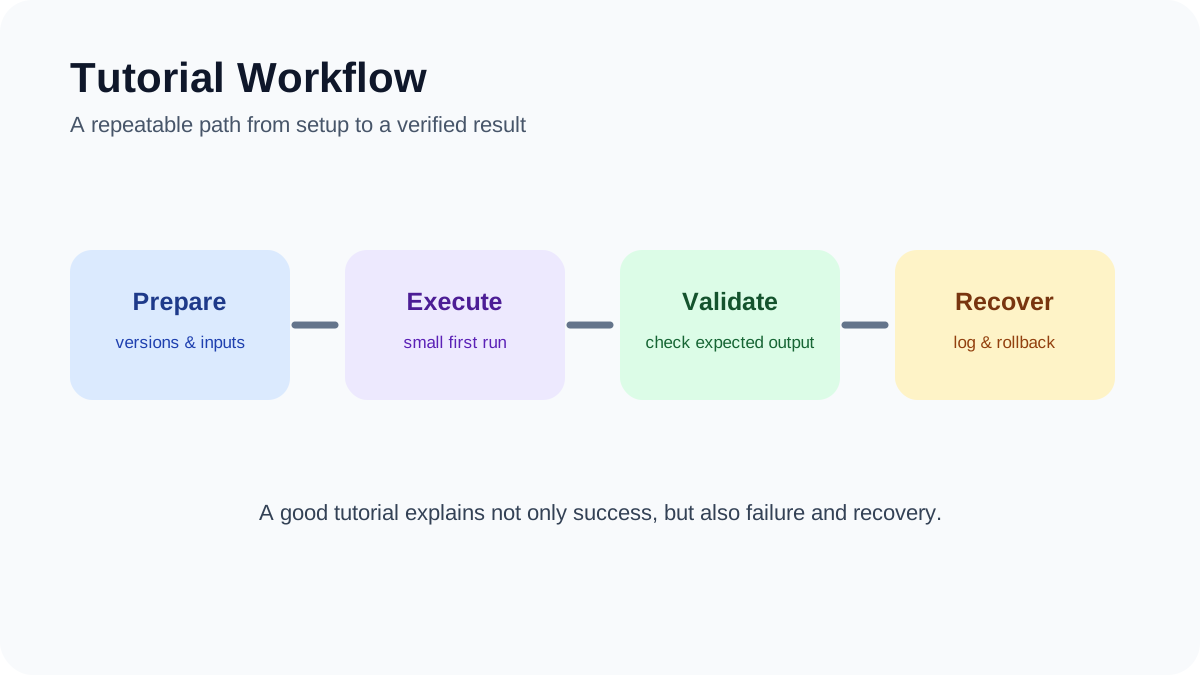
    Tutorial Workflow: A repeatable path from preparation and execution to validation and recovery.
    Tutorial Workflow. A repeatable path from preparation and execution to validation and recovery.

    Learning artificial intelligence from scratch is easier when you begin with one useful task instead of trying to understand every model, tool, and technical term at once. This project-based tutorial shows beginners how to choose a safe first use case, test an AI output, document mistakes, and decide whether coding is necessary.

    Quick answer

    Start with a low-risk task such as summarizing your own notes, classifying non-sensitive text, or comparing two drafts. Use sample data, keep the original source beside the output, and record what the AI gets right and wrong. Only add automation or code after the manual workflow is reliable.

    Best for: students, creators, office workers, and career changers with little or no AI experience.

    What you will learn

    By the end of this tutorial, you will understand the difference between using an AI application and building an AI system. You will also have a small completed project, a repeatable evaluation checklist, and a clearer idea of which learning path to follow next.

    Step 1: Choose one narrow problem

    A useful beginner project has a clear input, a visible output, and a simple way to check the result. Good examples include turning meeting notes into an action list, grouping customer questions by topic, explaining unfamiliar terminology, or drafting alternative headlines. Avoid medical, legal, financial, employment, or security decisions while you are still learning.

    Write the task in one sentence: “Given this input, produce this output for this audience.” That sentence becomes the boundary of the experiment. If the task requires access to private workplace material, replace it with fictional or anonymized examples.

    Step 2: Build a small test set

    Collect several representative examples rather than judging the tool from one impressive response. Include an easy example, an ambiguous example, and an example that should cause the model to say it lacks enough information. Keep the expected result or original source available for comparison.

    A spreadsheet is enough for tracking. Use columns for the input, prompt, output, factual errors, missing details, useful details, and final decision. This creates evidence you can revisit when the tool, prompt, or model changes.

    Step 3: Write a prompt that can be checked

    State the task, provide the necessary context, define the output format, and tell the model how to handle uncertainty. For example: “Summarize these notes into decisions, owners, and open questions. Do not invent missing owners. Mark uncertain items as unconfirmed.”

    A longer prompt is not automatically better. The goal is a clear instruction whose output can be compared with the source. Never treat a confident tone as proof that an answer is correct.

    Step 4: Review the output manually

    Check names, dates, numbers, quotations, links, and conclusions against the original material. Look for omitted context as well as fabricated details. If the answer cites a source, open that source and confirm that it actually supports the claim.

    AILooma’s guide to fact-checking AI-generated answers provides a deeper verification workflow. The central rule is simple: an AI output is a draft or hypothesis until reliable evidence confirms it.

    Step 5: Change one variable at a time

    If the result is weak, revise one part of the prompt and run the same test set again. Changing the model, prompt, data, and settings simultaneously makes it difficult to understand what improved or degraded the result.

    Keep a short version history. Record the prompt, date, tool, relevant settings, and a sentence explaining why you changed it. This habit is more useful than collecting large libraries of untested prompts.

    Step 6: Decide whether you need code

    No-code tools are suitable for learning concepts and testing a workflow. Coding becomes useful when you need repeatability, structured data, version control, custom validation, or integration with another system. Python is common in AI education, but it is not a prerequisite for understanding responsible use.

    If you want hands-on coding practice, official resources such as Kaggle Learn, TensorFlow Tutorials, and Hugging Face Learn provide guided exercises. Follow the current setup instructions on each official site because interfaces and dependencies change.

    Step 7: Add automation only after testing

    Automation increases both convenience and risk. Before connecting email, cloud storage, calendars, or publishing systems, test with non-sensitive data and require human approval for sending, deleting, purchasing, publishing, or changing permissions.

    Define what happens when an input is missing, an API is unavailable, or the output fails validation. A workflow is not ready merely because it succeeds once.

    How to choose your next learning resource

    Choose a resource based on the project you want to complete. Non-technical learners may start with Google AI Essentials or another introductory course that focuses on everyday tasks. Learners who want to work with open models can use Hugging Face’s current courses. People interested in machine learning fundamentals can begin with Kaggle or TensorFlow notebooks.

    Before paying for a course, inspect its syllabus, prerequisites, update history, refund terms, and sample lessons. Product-specific courses age quickly, so current official documentation should remain part of your learning process.

    Beginner evaluation checklist

    1. Can you describe the task and expected output in one sentence?
    2. Are you using public, fictional, or properly authorized data?
    3. Do you have examples that include both normal and difficult cases?
    4. Can every factual statement be checked against a reliable source?
    5. Have you recorded failures as well as successful outputs?
    6. Can you stop or reverse the workflow if something goes wrong?
    7. Do you know which part still requires human judgment?

    Common mistakes

    Tutorial hopping creates familiarity without practical skill. Tool overload makes comparison difficult. Copying prompts without understanding the input and evaluation method produces fragile results. The most productive approach is to finish one small project, document it honestly, and then increase complexity.

    Do not claim that a tool saved time or improved quality unless you measured the same task before and after using it. Do not upload confidential material merely because a tutorial does so. Always check the tool’s current data controls and your organization’s policies.

    Final takeaway

    Your first AI project does not need to be impressive. It needs to be understandable, testable, and safe. A small workflow with documented limitations teaches more than a large demonstration you cannot explain. Once you can evaluate the result consistently, you are ready to explore automation, APIs, local models, or more technical coursework.

    Primary sources and further learning

    Practical example: a four-week AI learning plan

    A manageable learning plan can produce one small, inspectable project each week. Week one focuses on prompts and data hygiene; week two compares outputs on a fixed test set; week three adds a simple script or notebook; week four documents limitations and presents the result.

    1. Choose one recurring problem and define what a successful answer looks like.
    2. Collect a small, lawful, and representative sample while removing personal information.
    3. Keep prompts, model versions, dates, and evaluation notes in a simple log.
    4. Review failures manually and adjust one variable at a time.
    5. Write a short README explaining how another learner can reproduce the exercise.

    The project is valuable even when the model performs imperfectly. The learning comes from defining a task, measuring it, understanding failure modes, and communicating what should—and should not—be trusted.

    Practical verification and limits

    Start with a small project using non-sensitive data, define a measurable output, compare AI results with a trusted reference, and record what failed before adding automation.

    Editorial review and limitations

    Reviewed by Femica Maydinda Harend. Recommendations are based on documented behavior and reproducible checks. Tools, models, and policies can change; verify current details before acting.