Tag: ai assistants

  • AI Agents vs AI Assistants: Key Differences, Use Cases, and When to Use Each

    AI Agents vs AI Assistants: Key Differences, Use Cases, and When to Use Each

    AI assistants and AI agents are often discussed as if they were the same thing. They are not.

    The practical difference is not simply that one is “smarter.” The difference is how much initiative the system can take, how long it can pursue a goal, how it uses tools, and how much human supervision it requires.

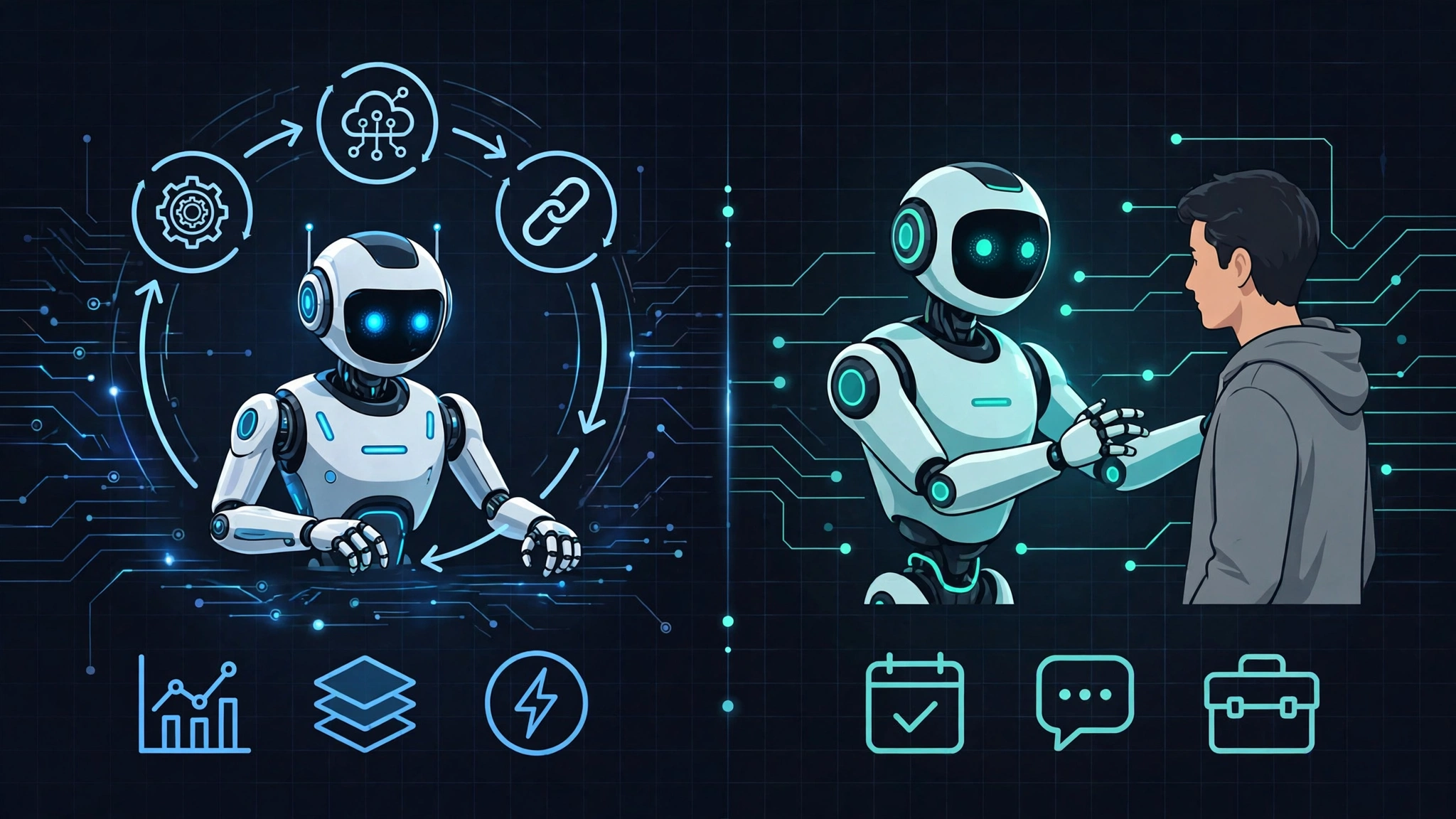
    An AI assistant usually helps a person perform a task. An AI agent is designed to carry out part of a task or workflow on the user’s behalf.

    This guide explains the difference between AI agents and AI assistants, how their architectures differ, where each approach is useful, and what risks you should consider before adding more autonomy to an AI system.

    AI Assistant vs AI Agent: The Short Version

    Area AI Assistant AI Agent
    Primary role Helps a human perform a task Executes steps toward a goal
    Initiative Usually responds to user input May continue or trigger actions based on goals or events
    Tool use Often limited or user-directed Can select and sequence multiple tools
    State Often session-based May maintain workflow state across multiple steps
    Human involvement Frequent Potentially lower, depending on permissions and design
    Risk Usually limited to poor output Can include incorrect real-world actions

    The boundary is not always perfectly clear. Many modern systems sit somewhere between a basic assistant and a highly autonomous agent.

    What Is an AI Assistant?

    An AI assistant is generally a system that responds to user requests and helps the user complete work.

    Typical examples include:

    • answering questions;
    • summarizing documents;
    • drafting emails;
    • explaining code;
    • finding information;
    • creating outlines;
    • suggesting next steps.

    The human usually remains responsible for deciding what happens next.

    Example: Email Assistant

    You ask:

    Draft a follow-up email to a customer who has not replied in three days.

    The assistant generates the email.

    You review it, edit it if necessary, and decide whether to send it.

    The assistant helped with execution, but the human still controlled the action.

    What Is an AI Agent?

    An AI agent is a system designed to pursue a goal through one or more actions.

    Instead of producing only a response, an agent may:

    • inspect available information;
    • choose a next step;
    • call a tool or API;
    • observe the result;
    • update its state;
    • continue until the goal is completed, blocked, or escalated.

    Example: Follow-Up Agent

    Imagine a system given the goal:

    Follow up with qualified leads that have not replied within three business days.

    Depending on its permissions and implementation, the agent might:

    1. check the CRM;
    2. identify qualified leads;
    3. check the date of the last interaction;
    4. retrieve previous conversation context;
    5. draft a follow-up message;
    6. send it if permitted;
    7. record the action in the CRM;
    8. schedule another check later.

    The major difference is that the system is managing a workflow rather than producing a single response.

    The Difference Is Better Viewed as a Spectrum

    AI assistants and AI agents are not always two clean categories.

    A more useful way to think about them is as an autonomy spectrum.

    Low Autonomy

    The system can:

    • answer;
    • draft;
    • recommend;
    • summarize.

    The human initiates and approves nearly everything.

    Moderate Autonomy

    The system may:

    • use several tools;
    • perform multi-step tasks;
    • retain workflow state;
    • pause for approval before important actions.

    Higher Autonomy

    The system may:

    • monitor events;
    • initiate workflows;
    • select tools dynamically;
    • retry failed actions;
    • continue until a defined goal condition is reached;
    • escalate only when required.

    More autonomy is not automatically better.

    Every additional action the AI can take also increases the importance of permissions, monitoring, error handling, and human oversight.

    1. Initiative: Who Starts the Work?

    One of the clearest differences is initiative.

    Assistant

    The assistant usually waits for a human request.

    Examples:

    • “Summarize this report.”
    • “Draft an email.”
    • “Explain this error.”

    Agent

    An agent may be activated by a goal or external event.

    For example:

    • a new support ticket arrives;
    • a monitoring system detects an error;
    • a customer reaches a specific CRM stage;
    • a scheduled deadline is approaching.

    The system can then begin a workflow without waiting for someone to write a new prompt for every step.

    2. Task Duration: One Interaction vs a Persistent Workflow

    An assistant often operates within a single interaction.

    You ask a question, receive an answer, and decide what happens next.

    An agent may need to maintain state across a longer workflow.

    For example, an onboarding agent might track whether:

    • an account was created;
    • access was approved;
    • training was completed;
    • a required document was signed;
    • a manager needs to be notified.

    This persistence is one of the architectural requirements that makes agent systems more complex.

    3. Tool Use: Invocation vs Orchestration

    Both assistants and agents can use tools.

    The difference is often how those tools are coordinated.

    Assistant Tool Use

    An assistant may call one tool in response to a request.

    Example:

    What meetings do I have tomorrow?

    The assistant checks the calendar and returns the result.

    Agent Tool Orchestration

    An agent may use multiple tools as part of one goal.

    For example, an internal IT agent could:

    1. read a support ticket;
    2. identify the user;
    3. check account status;
    4. perform an allowed remediation;
    5. verify the result;
    6. update the ticket;
    7. notify the user.

    This requires the system to manage dependencies between actions.

    4. State and Memory

    Memory is often discussed as if it automatically turns an assistant into an agent.

    It does not.

    Memory can simply store information.

    What matters for an agent is whether stored state helps it decide what to do next.

    Useful Agent State Might Include

    • goal status;
    • completed steps;
    • failed attempts;
    • pending approvals;
    • tool results;
    • scheduled future actions.

    A stateful workflow can continue from where it stopped rather than starting from the beginning every time.

    5. Failure Handling

    This is one of the most important practical differences.

    An assistant can return an error and let the user decide what to do next.

    An agent may need its own defined failure strategy.

    Possible Failure Behaviors

    An agent may:

    • retry an operation;
    • use an alternative tool;
    • pause the workflow;
    • request human approval;
    • escalate the task;
    • record the error and stop safely.

    Good agent design does not mean blindly retrying everything.

    Every action should have clear rules defining when the system can continue and when it must stop.

    6. Architecture: Why Agents Are Usually More Complex

    A simple assistant can often be represented roughly as:

    User Request
        ↓
    AI Model
        ↓
    Optional Tool
        ↓
    Response

    An agent architecture often looks more like:

    Goal
      ↓
    Planner / Orchestrator
      ↓
    State / Memory
      ↓
    Tool Selection
      ↓
    Action
      ↓
    Observation
      ↓
    Evaluate Result
      ↓
    Continue / Retry / Escalate / Finish

    The AI model is only one component of the system.

    Reliable agents also depend heavily on conventional software engineering.

    Common Agent Components

    • workflow or orchestration engine;
    • tool registry;
    • permissions system;
    • state storage;
    • logging;
    • retry policies;
    • human approval checkpoints;
    • monitoring and observability.

    7. Why Tool Calling Alone Does Not Make Something an Agent

    An AI application does not automatically become an agent because it can call an API.

    For example:

    If a chatbot can check the weather when you ask, that is still primarily assistant behavior.

    If a system is responsible for monitoring weather conditions, comparing them against defined thresholds, notifying someone when conditions change, and recording the outcome, it is behaving more like an agentic workflow.

    The difference lies in the relationship between goals, state, decisions, actions, and feedback.

    8. Permissions Matter More for Agents

    An assistant that only generates text has limited ability to cause direct operational harm.

    An agent that can:

    • send emails;
    • delete files;
    • change account permissions;
    • issue refunds;
    • modify infrastructure;
    • publish content;

    has a very different risk profile.

    Apply Least Privilege

    An agent should receive only the permissions required to perform its defined task.

    For example, if an agent only needs to read support tickets, it should not automatically receive permission to delete them.

    Separate Read and Write Actions

    Where practical, separate:

    • reading data;
    • drafting actions;
    • executing actions.

    This makes approval controls easier to design.

    9. Human-in-the-Loop Approval

    An agent does not need maximum autonomy to be useful.

    Many practical systems work better with approval checkpoints.

    Example

    An agent may be allowed to:

    • identify a billing problem;
    • collect relevant account information;
    • calculate a proposed refund;
    • prepare the action.

    But a human must approve the refund before money moves.

    This approach keeps automation benefits while limiting high-impact mistakes.

    10. AI Assistant Use Cases

    AI assistants are often a better fit when the task benefits from human judgment.

    Writing

    • drafting emails;
    • rewriting documents;
    • creating outlines;
    • summarizing information.

    Software Development

    • explaining code;
    • suggesting implementations;
    • generating tests;
    • helping investigate errors.

    Research

    • summarizing provided sources;
    • brainstorming search terms;
    • organizing notes;
    • comparing documents.

    Customer Support

    • suggesting responses;
    • summarizing tickets;
    • retrieving policy information;
    • classifying incoming requests.

    11. AI Agent Use Cases

    Agents become more useful when a task consists of repeatable steps with clear goals and reliable tools.

    IT Operations

    An agent could:

    • receive a ticket;
    • collect diagnostic information;
    • perform an approved remediation;
    • verify whether the problem was resolved;
    • escalate unresolved cases.

    Sales Operations

    An agent could:

    • identify records requiring follow-up;
    • collect account context;
    • prepare outreach;
    • schedule future actions;
    • update the CRM.

    Software Workflows

    An agent could:

    • monitor a CI pipeline;
    • inspect failures;
    • collect logs;
    • open an issue;
    • assign it to the appropriate team;
    • report the outcome.

    12. When an Assistant Is Better Than an Agent

    More autonomy is not always desirable.

    An assistant may be the better choice when:

    • the task is subjective;
    • human judgment is important;
    • mistakes are expensive;
    • the workflow changes frequently;
    • tools are unreliable;
    • the system lacks sufficient permissions controls;
    • the goal is difficult to define precisely.

    13. When an Agent May Be Worth Building

    An agent becomes more attractive when:

    • the workflow is repetitive;
    • the objective is measurable;
    • the required tools are available through reliable interfaces;
    • the system can verify whether each step succeeded;
    • permissions can be narrowly controlled;
    • human escalation is clearly defined.

    14. How to Evaluate an AI Assistant

    Useful assistant metrics may include:

    • response quality;
    • accuracy;
    • latency;
    • user satisfaction;
    • time saved;
    • percentage of outputs accepted or edited.

    The goal is usually to measure whether the assistant helps the human work better.

    15. How to Evaluate an AI Agent

    Agent evaluation should focus more on the entire workflow.

    Useful metrics may include:

    • goal completion rate: how often the workflow reaches the correct final state;
    • human intervention rate: how frequently humans must step in;
    • failure recovery rate: how often the system safely recovers from errors;
    • time to completion: how long the entire workflow takes;
    • incorrect action rate: how often the agent takes an action it should not have taken;
    • escalation quality: whether failures are handed to humans with useful context.

    There is no universal threshold that makes an agent “production ready.”

    The acceptable level depends on the task and the consequences of failure.

    16. Auditability Is Essential

    Once an AI system performs real-world actions, logging becomes much more important.

    You should be able to reconstruct:

    • what goal the system was pursuing;
    • what information it received;
    • which tools it called;
    • what those tools returned;
    • which actions were executed;
    • whether a human approved anything;
    • how the workflow ended.

    Be cautious about relying on hidden model reasoning as an audit mechanism.

    Operational logs, tool calls, state transitions, permissions, and observable outcomes are generally more useful for debugging than attempting to reconstruct private internal reasoning.

    17. Security Risks Are Different

    An AI assistant can make a bad recommendation.

    An AI agent can potentially turn a bad recommendation into an action.

    That makes several security controls especially important:

    • least-privilege access;
    • input validation;
    • approval boundaries;
    • rate limits;
    • tool allowlists;
    • action logging;
    • safe failure behavior;
    • protection against untrusted instructions or prompt injection.

    Prompt Injection Becomes More Serious With Tool Access

    If an AI can only answer questions, malicious instructions may produce a bad response.

    If the same system can access email, files, databases, or administrative tools, malicious instructions can potentially influence real-world actions.

    Agent design should therefore treat external text, webpages, emails, and documents as potentially untrusted inputs.

    18. A Practical Roadmap From Assistant to Agent

    If you already use an AI assistant, do not jump directly to broad autonomy.

    Phase 1: Identify the Workflow

    Pick one repeatable task.

    Document:

    • the desired outcome;
    • required tools;
    • human decisions;
    • failure cases;
    • high-risk actions.

    Phase 2: Automate Read-Only Steps

    Start by letting the system:

    • collect information;
    • classify requests;
    • summarize context;
    • prepare recommendations.

    Keep execution manual.

    Phase 3: Add Approved Actions

    Allow a limited set of actions, preferably behind human approval.

    For example:

    • create a draft ticket;
    • prepare an email;
    • suggest a calendar slot;
    • generate a proposed database update.

    Phase 4: Add Limited Autonomy

    Once the workflow is reliable, allow low-risk actions to execute automatically.

    Keep higher-risk actions behind approval.

    Phase 5: Monitor and Expand Carefully

    Only expand permissions after reviewing:

    • failure patterns;
    • incorrect actions;
    • escalation quality;
    • tool reliability;
    • security incidents;
    • human override frequency.

    19. A Simple Decision Framework

    Before choosing an assistant or agent, ask:

    Question If Yes
    Does a human need to review every result? An assistant may be enough.
    Does the system need to complete multiple steps? An agentic workflow may help.
    Can success be clearly measured? The workflow is easier to automate safely.
    Can the system verify that an action succeeded? Greater autonomy becomes more practical.
    Would a wrong action cause significant harm? Keep strong human approval.
    Are the APIs unreliable or poorly documented? Fix tool reliability before increasing autonomy.

    How This Guide Was Prepared

    This guide uses a practical definition of AI assistants and AI agents based on observable system behavior rather than vendor branding.

    Because terminology in the AI industry is still evolving, different companies and researchers may use the words assistant, agent, agentic system, and workflow automation differently.

    The distinctions in this guide therefore focus on characteristics that can be evaluated directly: initiative, state, tool use, goal persistence, failure handling, permissions, and human oversight.

    Capabilities also change rapidly, so product-specific claims should be checked against current official documentation before making technical or purchasing decisions.

    Frequently Asked Questions

    What is the main difference between an AI agent and an AI assistant?

    An AI assistant primarily helps a human perform work, while an AI agent is designed to perform one or more steps toward a goal on the user’s behalf.

    The practical difference is usually the amount of autonomy, state, tool orchestration, and human supervision involved.

    Can an AI assistant use tools?

    Yes.

    Tool use alone does not make a system an agent.

    An assistant may call an API or retrieve information while still requiring the human to initiate and control each task.

    Does an AI agent need to be fully autonomous?

    No.

    Many useful agentic systems include human approval checkpoints.

    Partial autonomy is often more appropriate than unrestricted autonomy, especially when actions affect money, data, permissions, customers, or infrastructure.

    Can an assistant become an agent?

    Potentially, but it usually requires more than adding a tool connector.

    You may need additional components for state management, workflow orchestration, permissions, monitoring, error handling, and human escalation.

    Are AI agents always better for automation?

    No.

    Traditional deterministic automation may be more reliable when a workflow is predictable and rules-based.

    An agent is most useful when the workflow contains enough ambiguity or variation that flexible reasoning provides real value.

    What is the biggest risk of AI agents?

    The biggest practical difference in risk is that an agent may be able to turn an incorrect interpretation into a real action.

    That is why permissions, approval boundaries, observability, and safe failure behavior are central to agent design.

    Should I use an AI agent instead of traditional automation?

    Not automatically.

    If a workflow can be implemented reliably with deterministic rules, conventional automation may be simpler, cheaper, easier to test, and easier to audit.

    Use agentic behavior where flexibility and reasoning genuinely solve a problem.

    Final Takeaway

    The most useful distinction between AI assistants and AI agents is not marketing terminology.

    It is responsibility.

    An assistant helps you decide or create.

    An agent can potentially decide what action comes next and carry that action out.

    As autonomy increases, so do the requirements for:

    • permissions;
    • state management;
    • failure handling;
    • monitoring;
    • security;
    • human oversight;
    • auditability.

    Do not choose an agent simply because it sounds more advanced.

    Choose the minimum level of autonomy that reliably solves the actual problem.