“Free productivity software” covers different needs: documents, notes, passwords, search, synchronization, and creative work. This is a researched feature guide, not a hands-on test or a ranked benchmark. Product terms, operating-system support, and paid options can change, so confirm current details on the official pages before installing or moving important files. If your main goal is replacing Word, Excel, or PowerPoint, use our focused guide to free Microsoft Office alternatives for document compatibility and migration questions.
Finding files by name or comparing and synchronizing folders.
Search indexing and synchronization have privacy and data-loss implications. Review scope and direction before syncing; synchronization is not a backup.
Playing media or editing raster images without starting with a paid suite.
Check file-format, codec, accessibility, and workflow needs; avoid installing bundled copies from unofficial download sites.
What “free” means
A free download can be open source, freeware, a free personal-use edition, a time-limited trial, or a limited tier that sells optional services. Those terms are not interchangeable. Check the publisher’s license, commercial-use terms, update policy, and the price of features you actually need. This guide does not certify that every edition or feature is free for every use.
Evaluate privacy and support
Identify the publisher and obtain the installer from its official site or a trusted operating-system store.
Read what data is collected, whether an account is required, and whether sync or AI features send content to a service.
Check the supported Windows versions, update history, accessibility, and how to export your files.
For tools handling sensitive information, review permissions and storage before adding real data.
Keep installers and files separate from your only backup; an app that synchronizes folders does not by itself provide independent recovery.
Try a small, reversible migration
Choose one task and copy a few non-sensitive sample files.
Install from the official source and note the version and date.
Test the actual operations you depend on: open, edit, save, export, and reopen the files in the destination app.
Check formatting, links, formulas, metadata, and keyboard access as relevant.
Keep the original files unchanged until the new workflow works for you.
Write down how to export your data and where the independent backup is stored.
Starter combinations
A basic document workflow might use LibreOffice for office files, Notepad++ for plain text, and SumatraPDF for reading. A research workflow might add Joplin or Obsidian for notes and Everything for local file discovery. A creator may prefer GIMP and VLC. These are examples to evaluate, not a tested or endorsed “best stack.” Install only what solves a current need.
Questions before choosing
Does it open and export the file types I actually use?
Can I move my data elsewhere without losing structure?
Are updates and security fixes still available for my Windows version?
Does “free” cover my intended personal or business use?
Do sync, plugins, or cloud features change where my data is stored?
Shortlist tools by task before comparing terms
Task
Examples to investigate
Check before adopting
Office documents and spreadsheets
LibreOffice or an online office suite
File fidelity, collaboration needs, offline access, and whether macros or specialized formatting matter
Plain-text editing
Windows Notepad or Notepad++
Installer source, update support, plugins, and whether the text is sensitive
PDF reading or annotation
SumatraPDF, PDF24, or a vendor’s reader/editor tier
Whether you only read, fill, sign, merge, or edit; distinguish a reader from a full editor
Notes and knowledge capture
Joplin, Obsidian, or a browser-based notes service
Local vs synced storage, export format, account dependence, and recovery
Password storage
A reputable password manager’s free plan
Current device limits, recovery method, export, and the provider’s security documentation
These are candidates to investigate, not ranked or independently tested recommendations. Confirm current publisher pages, license terms, Windows compatibility, support status, and free-tier restrictions. “Free download,” “open source,” and “free personal plan” describe different terms; business use may have separate conditions.
Validate one representative file before migrating
Choose a non-sensitive copy of a file you actually use. Open it, make a small change, save, export if needed, close, and reopen it in the destination application. Compare formulas, layout, links, fonts, metadata, and accessibility features that matter to your work. Keep the original unchanged and record which formats or features did not transfer. Only then decide whether to move a larger collection.
This page compares a broader Windows productivity toolkit by task. For document-suite migration specifically, use the Office-alternatives guide, which focuses on file compatibility and collaboration rather than notes, passwords, or PDF workflows.
Bottom line
The most useful free Windows toolkit is the smallest set that fits your tasks and lets you retain control of your files. Compare official documentation and terms, test a copy of your own workflow, and preserve an independent backup before migrating.
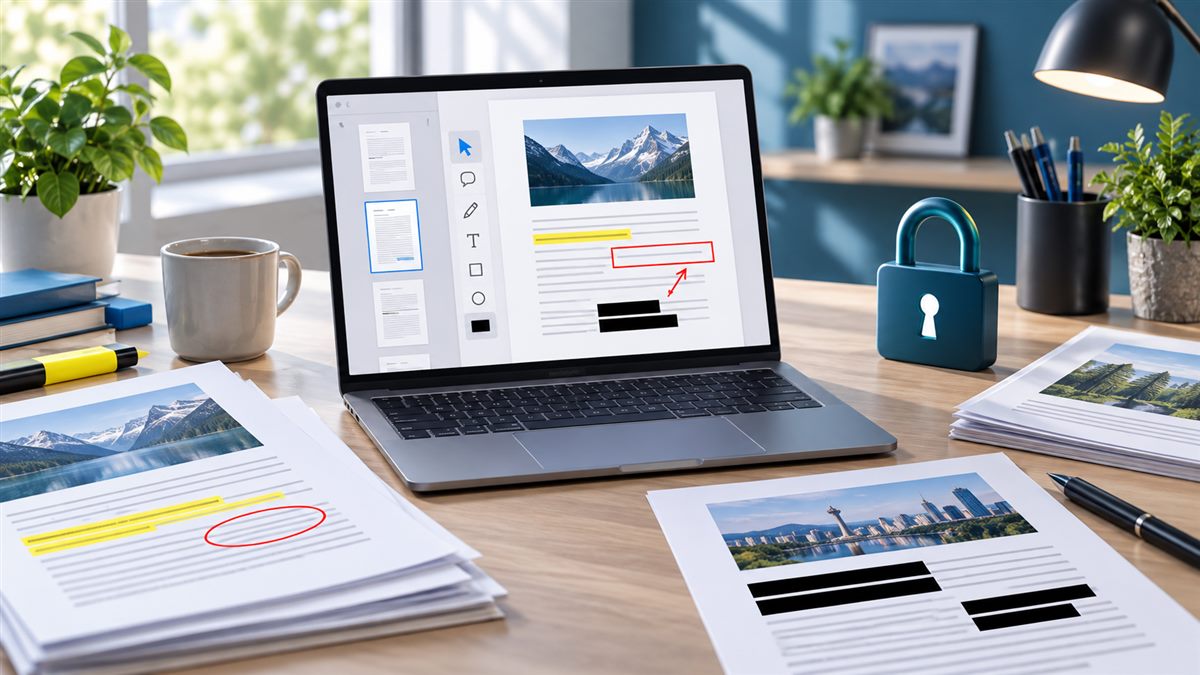
PDF software labels such as “free,” “offline,” and “edit” can refer to different features. This guide helps Windows users choose a tool by task and verify its current limits. AILooma has not benchmarked or security-tested the products below; the comparison is based on vendor documentation, not measured performance.
Start with the job
Read and annotate: choose a reader with the comments or form tools you need.
Merge, split, rotate, or compress: verify that the exact operation is available in the free tier and whether the file stays on your computer.
Recognize scanned text: check the OCR language, output, and whether processing is local or uploaded.
Edit existing text: distinguish rearranging pages or adding comments from changing the original text layout, which may require a paid editor.
Sign or protect: determine whether you need a typed signature, a cryptographic digital signature, or password protection; these are not interchangeable.
Examples to evaluate from their official descriptions
PDF24 Creator describes a Windows desktop suite with offline processing and tools including merge, split, conversion, compression, and OCR. Confirm the installer and the specific feature you need; vendor documentation is not an independent security audit.
Foxit PDF Reader describes reading, annotation, form filling, and signing capabilities. The page distinguishes the Reader from the paid PDF Editor, so check which product and feature a task requires.
SumatraPDF documents a lightweight Windows reader for PDF and several other document formats. Treat it primarily as a viewing option and verify whether your task requires editing or form tools it does not provide.
LibreOffice Draw can be considered when you need to work with PDF content as a drawing document; check how a complex file imports and exports before relying on layout fidelity.
A safe comparison you can run yourself
Make a copy of a non-sensitive PDF with selectable text, a scanned page, a form, and a complex layout.
Try only the operation you need and inspect the saved copy in a second reader.
Check fonts, page order, links, form fields, metadata, and OCR errors as relevant.
For confidential files, prefer a documented local workflow; do not upload them to a web service without authorization.
Record product version, date, file type, and the result. Do not generalize from a single sample.
Privacy and security checks
Download software from the publisher’s official site or an organization-approved catalog. Review the privacy statement and network behavior for the exact edition you install. “Free” does not itself establish offline processing, absence of telemetry, or suitability for confidential documents. Keep the application updated and do not use an online converter for sensitive records unless policy permits it.
Which option should you start with?
If you mostly read, begin with a reader. If you routinely merge or convert files and need local processing, compare desktop suites by the specific operation. If you need a legally significant signature or precise redaction, consult your organization’s approved process and verify that the tool actually removes underlying data rather than only covering it visually.
Use a task-first shortlist
Need
What to confirm
Safer comparison input
Read a PDF
Search, bookmarks, accessibility, supported Windows version
A non-sensitive file with selectable text and a scanned page
Annotate or fill a form
Whether annotations remain editable and can be exported
A copy of a form with no personal information
Merge, split, or reorder pages
Whether the operation is local or uploads files to a service
A disposable sample document with known page order
Edit text or images
Whether editing is included in the free tier and how layout changes are handled
A duplicate with a simple text change and an image element
Sign or redact
Whether the tool supports your required signature workflow; whether redaction removes underlying text rather than drawing a black box
A fictional file—never a real confidential document for a first test
After selecting two candidates, verify one operation in each official product description, then try it on a copy you can discard. Reopen the saved result in a separate reader and inspect text selection, page count, links, and metadata. A visible black rectangle is not proof that underlying text has been removed; follow the vendor’s documented redaction workflow and verify the result with a separate tool before sharing sensitive information.
This comparison is task- and documentation-based, not a security audit or a benchmark. For broader Windows software decisions, see the free software guide.
Femica Maydinda Harend writes practical technology guides for AILooma, emphasizing verifiable steps and clear limitations.
Editorial note
Product features, free-tier limits, installers, and privacy terms can change. Verify current details on the linked vendor pages. This is not a benchmark, privacy audit, or legal recommendation.
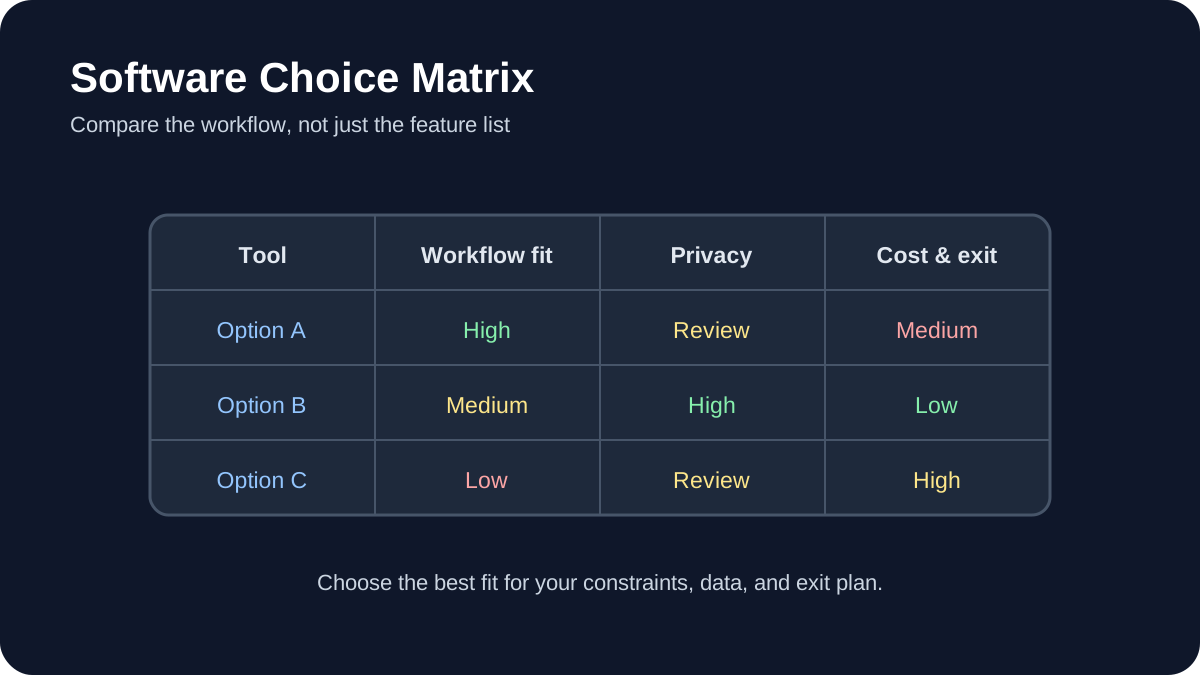
Software Choice Matrix. Compare workflow fit, privacy, portability, and total cost before choosing a tool.
You can download the most popular note-taking app, spend hours customizing it, and still stop using it a few weeks later.
The problem is usually not a lack of features. It is a mismatch between the tool and the way you actually capture, organize, retrieve, and use information.
This guide explains how to choose a note-taking app you will actually keep using by focusing on workflow, friction, portability, collaboration, and long-term usability instead of feature lists alone.
1. Start With How You Think and Work
Most note-taking comparisons begin with features:
Does it support Markdown?
Can it work offline?
Does it have backlinks?
Can it store PDFs?
Does it have AI features?
Those questions matter, but they should come later.
The first question should be:
What do I actually need my notes to help me do?
Different people use notes for very different purposes. One person may use notes mainly for meeting capture, while another uses them for research, writing, study, project management, or long-term knowledge storage.
A good tool should support your existing thinking process rather than forcing you to adopt someone else’s productivity system.
Reduce Unnecessary Friction
Working memory is limited, and every unnecessary interface decision adds cognitive load.
If creating a note requires several taps, folders, templates, or formatting decisions, you may eventually stop capturing information in the moment.
That does not mean the simplest app is always the best. It means the interface should feel proportionate to the task.
For example:
A quick-capture app should make creating a note nearly immediate.
A research system may justify more structure because retrieval matters later.
A project-management workspace may need databases, properties, and shared views.
Think About Retrieval, Not Just Capture
A note-taking system is only useful if you can find information again when you need it.
Useful retrieval features may include:
full-text search;
tags;
folders;
internal links;
backlinks;
saved searches;
filters or database views.
Tools such as Obsidian and Logseq emphasize linked notes, while tools such as Notion emphasize structured pages, databases, and shared workspaces.
Neither approach is automatically better. The right choice depends on how you expect to retrieve information later.
2. Audit Your Real Workflow
Do not choose a note-taking app for the person you wish you were.
Choose it for the way you actually work today.
Track Your Notes for a Few Days
For several days, pay attention to every note you create or search for.
For each one, record:
which device you used;
what triggered the note;
how much time you had;
whether the note was temporary or long-term;
what you expected to do with it later.
You may notice recurring patterns.
For example:
quick ideas captured on your phone;
meeting notes on a laptop;
research saved for later;
project notes connected to tasks;
reference information you repeatedly search for.
These patterns are more useful than a generic list of app features.
Identify Your Friction Points
Pay attention to moments when taking or finding a note feels unnecessarily difficult.
Typical friction includes:
slow startup;
confusing navigation;
too many required fields;
poor mobile capture;
unreliable synchronization;
difficulty finding old notes;
formatting that takes too much attention.
The best app is often the one that removes your most frequent source of friction, not the one with the longest feature list.
3. Test Capture Speed
A note-taking app should make it easy to capture an idea before you forget it.
Ask yourself:
How many steps does it take to create a new note?
Can I capture something from my phone quickly?
Can I save text from another application?
Can I use voice input if needed?
Does the app support widgets or shortcuts?
If your workflow involves frequent quick capture, mobile usability may matter more than advanced desktop features.
For example, an application may be excellent for deep research but frustrating for quickly saving an idea while you are away from your computer.
4. Decide How Much Structure You Actually Need
People often overbuild their note systems.
They create dozens of folders, tags, templates, dashboards, databases, and automation rules before they have enough notes to justify them.
More structure can improve organization, but it also creates maintenance work.
Minimal Structure
A simple system might use:
one inbox;
a few folders;
search;
occasional tags.
This can be enough for many people.
Linked Knowledge
If your work depends on connecting ideas across topics, tools with internal links and backlinks may be useful.
You might create links such as:
[[Machine Learning]]
and connect individual notes to broader concepts.
This works particularly well when your notes are meant to develop over months or years.
Database-Based Organization
If you manage projects, content calendars, research pipelines, or collaborative work, database-style tools may be more appropriate.
You may benefit from:
properties;
filters;
different views;
relationships between records;
shared editing.
Do not choose this complexity unless it solves a real problem.
5. Think About Data Ownership and Portability
Your notes may remain useful much longer than the software you use to create them.
That makes export and portability important.
Check the Storage Format
Some tools store notes in open or easily readable formats such as Markdown or plain text.
Others store information primarily inside a proprietary cloud database.
Neither model is automatically wrong, but you should understand the tradeoff.
Open formats can make migration easier because files may remain readable without the original application.
Test Export Before You Commit
Do not rely only on an application’s claim that your data can be exported.
Create several realistic notes containing:
headings;
images;
links;
tables;
attachments;
tags or properties.
Then export them.
Check whether:
the files remain readable;
images are included;
links still make sense;
important metadata is preserved;
you could reasonably move the data elsewhere.
A usable export gives you an exit strategy if the application changes in a way you no longer like.
6. Compare Local-First and Cloud-First Tools
This is one of the most important architectural differences between note-taking applications.
Local-First
In a local-first system, your primary notes may exist as files stored on your device.
Potential advantages include:
direct access to files;
offline availability;
greater control over backups;
easier integration with other local tools.
Obsidian is a well-known example because its notes are stored as Markdown files in a local vault.
Cloud-First
Cloud-first tools generally make synchronization and collaboration easier because the service manages the underlying data.
Potential advantages include:
simple cross-device access;
real-time collaboration;
sharing permissions;
centralized workspace management.
Notion is an example of a cloud-first workspace.
The better choice depends on whether you value direct file ownership, collaboration, convenience, or a combination of these factors.
7. Evaluate Collaboration Separately
A tool that works perfectly for personal notes may not work well for a team.
Ask what kind of collaboration you actually need.
Real-Time Co-Editing
If several people need to edit the same page at the same time, prioritize applications designed for collaborative editing.
Useful features may include:
real-time changes;
comments;
mentions;
version history;
permission controls.
Read-Only Sharing
If you mostly write alone and occasionally share finished material, publishing or export options may matter more than real-time collaboration.
Do not pay the complexity cost of a collaborative workspace if collaboration is rarely part of your workflow.
8. Test Sync in Real Conditions
Cross-device sync is important because losing trust in synchronization can make you stop trusting the entire system.
Do not test only under perfect Wi-Fi.
Try scenarios such as:
editing from your phone and laptop;
working temporarily without internet;
creating notes on one device and immediately opening them on another;
renaming or moving content;
editing the same note from two devices.
Check how the application handles conflicts.
The exact behavior depends on the application and synchronization method, so test the configuration you actually intend to use.
9. Check Cross-Device Consistency
An app being available on Windows, macOS, iOS, Android, and the web does not necessarily mean every version behaves the same.
Before committing, test your most important workflows on every device you regularly use.
For example:
Can you quickly create a note on mobile?
Can you edit the same properties on mobile and desktop?
Are important plugins available everywhere?
Can you access notes offline?
Does formatting behave consistently?
If the mobile experience feels like a completely different product, that may become a long-term source of friction.
10. Be Careful With Plugins and Customization
Customization can turn a flexible note-taking app into exactly the tool you want.
It can also become another hobby.
If you spend more time redesigning your note system than using your notes, customization has stopped being helpful.
Start With the Default Experience
Before installing plugins or creating complex templates, use the application in a basic configuration.
Only add something when you can describe the problem it solves.
For example:
“I need a calendar because I regularly retrieve notes by date.”
“I need a template because every client meeting uses the same structure.”
“I need backlinks because I frequently connect related research.”
This is more sustainable than installing features because someone else’s setup looks impressive.
11. Decide Whether You Really Need AI Features
Many note-taking applications now offer AI-powered summarization, search, writing assistance, or automatic organization.
These features can be useful, but they should not determine your entire choice unless AI is central to your workflow.
Before enabling them, consider:
what data is sent to the AI provider;
whether sensitive notes are processed;
whether the feature requires an additional subscription;
whether you can disable it;
whether the output actually saves time.
A strong note-taking system should still be useful even when AI features are unavailable.
12. Choose for Long-Term Flexibility
Your requirements will change.
You may change jobs, begin a new project, go back to school, start managing a team, or simply simplify your workflow.
A note-taking system should be flexible enough to change with you.
Look for Modularity
A modular tool lets you start simple and add complexity only when necessary.
For example:
start with basic notes;
add tags when search becomes difficult;
add templates when repeated structures emerge;
add collaboration when a team becomes involved;
add automation only after repetitive work becomes obvious.
This approach reduces the chance that your system becomes too complicated to maintain.
13. Run a Real 30-Day Trial
A feature tour will not tell you whether an application fits your life.
Use the shortlisted tool for real work.
A 30-day trial is long enough to expose problems that may not appear during the first few days.
Use It for Real Notes
During the trial, use the application for the types of notes you normally create:
work notes;
ideas;
meeting notes;
research;
personal reminders;
reference information.
Do not artificially create a perfect test environment.
The purpose is to discover whether the application survives your normal habits.
Keep a Friction Log
Whenever the application annoys you, write down why.
Examples:
“Creating a mobile note takes too long.”
“I cannot find information from last week.”
“The formatting behaves differently on my phone.”
“I keep forgetting which database to use.”
“Sync conflicts make me nervous.”
At the end of the trial, recurring friction matters more than a long list of features you never used.
Perform an Export Test
Before ending the trial, export the notes you created.
Try opening the export outside the application.
This gives you a realistic picture of how difficult it would be to leave later.
A Simple Decision Framework
You can compare your shortlisted applications using categories like these:
Category
Questions to Ask
Capture
Can I save an idea quickly from the devices I actually use?
Retrieval
Can I find an old note without remembering exactly where I stored it?
Structure
Does the organization system match my real workflow?
Portability
Can I export my notes in a usable format?
Sync
Do I trust it across my actual devices and network conditions?
Collaboration
Does it support the level of sharing and editing I actually need?
Complexity
Am I maintaining the system more than using it?
Cost
Would I still be willing to pay for it several years from now?
Which Type of Note-Taking App Fits You?
Choose a Local-First Tool If…
you value direct control over your files;
offline access matters;
you prefer Markdown or plain-text formats;
long-term portability is a high priority;
you mainly work independently.
Tools such as Obsidian or Logseq may be worth evaluating.
Choose a Collaborative Workspace If…
you work with a team;
real-time editing matters;
you need shared databases or project views;
you regularly publish or share pages;
your notes overlap heavily with project management.
A tool such as Notion may fit this type of workflow.
Choose a Simpler Notes App If…
you mostly capture short notes;
you do not need complex linking or databases;
speed matters more than customization;
you want minimal setup.
In this situation, a simpler notes application may be better than turning a powerful knowledge-management platform into an unnecessarily complicated system.
How This Guide Was Prepared
This guide focuses on practical evaluation criteria rather than ranking one application as universally superior.
Note-taking products change frequently, including pricing, storage limits, AI features, export capabilities, synchronization behavior, and supported platforms.
Before choosing a tool, verify current features and pricing through the application’s official documentation or website.
Frequently Asked Questions
What is the most common reason people stop using a note-taking app?
There is no single reason that applies to everyone, but recurring friction is a common pattern.
If capturing, organizing, syncing, or retrieving notes repeatedly feels harder than necessary, users may gradually stop relying on the system.
Is Obsidian better than Notion?
Not universally.
Obsidian and Notion are built around different approaches.
Obsidian is particularly attractive for people who value local Markdown files, linked notes, offline access, and personal knowledge management.
Notion is particularly useful for structured cloud workspaces, databases, team collaboration, and shared project information.
The better choice depends on what you need the system to do.
Do I need AI in my note-taking app?
No.
AI features may help with summarization, writing, search, or organization, but a useful note-taking system does not require them.
Focus first on capture, retrieval, organization, synchronization, and data portability.
Can I use more than one note-taking app?
Yes, but each application should have a clear role.
For example, one tool might handle temporary mobile capture while another stores long-term research.
The risk appears when the same type of information is scattered unpredictably across several applications.
If you use multiple tools, define where important information ultimately belongs.
How often should I reconsider my note-taking setup?
There is no fixed schedule.
Re-evaluate the system when your requirements change or when recurring friction begins interfering with your work.
Avoid switching tools simply because a new application becomes popular.
Final Takeaway
The best note-taking application is not necessarily the one with the most features, the most impressive AI, or the most elaborate templates.
It is the one that reliably helps you:
capture information when it matters;
find it again later;
organize it without excessive maintenance;
use it on the devices that matter to you;
keep control of your information over time.
Before committing to a tool, observe your real workflow, test the app under normal conditions, verify its export options, and give yourself enough time to discover recurring friction.
A good note-taking system should gradually become less noticeable. The more naturally it fits your workflow, the more attention you can give to the ideas inside your notes instead of the software holding them.
Practical example: testing a note-taking system for one week
Choose one recurring project and capture every new note in the same place. At the end of the week, try to find three decisions, two source links, and one pending action without searching multiple apps.
Use a consistent title with a date and project name.
Link each decision to the note or document that supports it.
Separate reference material from actions you still need to take.
Review duplicates and archive notes that no longer help.
Ask whether the system reduced retrieval time before adding another feature.
A short trial reveals whether a tool supports your thinking or simply creates another inbox to maintain.
Practical verification and limits
Test a week of real notes, verify export and recovery, check privacy and pricing limits, and keep a dated backup before migrating important information.
Editorial review and limitations
Reviewed by Femica Maydinda Harend. This guidance favors reproducible, reversible steps. Features and policies can change, so verify current details before acting.
Software Choice Matrix. Compare workflow fit, privacy, portability, and total cost before choosing a tool.
You do not need a Microsoft 365 subscription for every document, spreadsheet,
or presentation task. The right free alternative depends on whether you
prioritize desktop access, real-time collaboration, Microsoft file
compatibility, privacy, or a lightweight interface.
Quick recommendations
Best all-round desktop suite: LibreOffice
Best for browser collaboration: Google Docs, Sheets, and
Slides
Best for Microsoft-format-focused editing: ONLYOFFICE
Desktop Editors
Best lightweight traditional interface: FreeOffice
Best for teams that want to self-host collaboration:
Collabora Online
1. LibreOffice
LibreOffice is a free, open-source desktop suite for Windows, macOS, and
Linux. Writer, Calc, and Impress cover the core word-processing, spreadsheet,
and presentation jobs, while Draw and Base add capabilities not commonly
included in lightweight alternatives.
It is a strong choice for offline work, open document formats, and users who
want a full desktop application without an account. Microsoft Office files can
be opened and saved, but complex layouts, macros, fonts, and advanced
spreadsheet features may not transfer perfectly. Keep a copy of the original
and test important files before collaborating.
2. Google Docs, Sheets, and Slides
Google’s browser-based editors are the simplest option for live collaboration.
Multiple people can edit at once, leave comments, review version history, and
share a link without passing attachments around.
The trade-off is that the experience is centered on a Google account and cloud
storage. Offline access can be configured, but it is not the same as a
desktop-first suite. Importing and exporting Microsoft formats works well for
everyday files, although complex formatting and macros require testing.
3. ONLYOFFICE Desktop Editors
ONLYOFFICE provides free desktop editors for documents, spreadsheets,
presentations, PDFs, and forms. Its interface and emphasis on Office Open XML
formats make it approachable for people moving from Microsoft Office.
Choose it when DOCX, XLSX, and PPTX compatibility is more important than an
extensive ecosystem of open-source desktop tools. As with every alternative,
verify advanced formulas, tracked changes, embedded objects, and custom fonts
in documents that must look identical.
4. FreeOffice
SoftMaker FreeOffice includes TextMaker, PlanMaker, and Presentations. It is
available for desktop operating systems and offers a familiar, relatively
lightweight interface. It suits students and home users who want conventional
applications and do not need a cloud collaboration platform.
Check the current license and feature comparison before adopting it across an
organization. Some advanced capabilities and commercial-use terms may differ
from the paid SoftMaker Office product.
5. Collabora Online
Collabora Online brings LibreOffice-based editing to the browser and is
designed to integrate with storage and collaboration platforms. It is most
relevant to organizations that want more control over where documents are
hosted.
This is not the easiest personal replacement: deploying and maintaining a
collaborative server requires technical resources. For a team already
operating its own infrastructure, however, it can provide browser editing
without making a public cloud suite the default.
How to choose
Start with the files and workflows you actually use:
Offline and open source: start with LibreOffice.
Fast group editing: start with Google’s editors.
Frequent DOCX, XLSX, and PPTX exchange: test ONLYOFFICE and
LibreOffice with representative files.
Older or modest hardware: compare FreeOffice and
LibreOffice on the actual device.
Self-hosted collaboration: evaluate Collabora Online with
your storage platform.
A safe migration checklist
Collect representative documents, including the most complex examples.
Open, edit, save, and reopen each file in the candidate suite.
Check formulas, page breaks, fonts, comments, tracked changes, and exports.
Confirm whether macros or add-ins have equivalents.
Run a small pilot before changing the default for everyone.
Verdict
LibreOffice is the most complete general-purpose free desktop replacement,
while Google’s editors lead for effortless collaboration. ONLYOFFICE is worth
testing when Microsoft file exchange dominates your workflow. There is no
universal winner: compatibility should be tested with your own documents, not
inferred from a feature list.
Practical example: choosing an Office alternative for a study group
Imagine a four-person study group that needs to edit a shared report, export a final PDF, and keep working when one member has an unreliable connection. Start by writing the non-negotiables: file formats, offline access, simultaneous editing, citation workflow, and the devices each person already owns. Do not choose a tool only because it is free.
Create a copy of the same sample document in each shortlisted editor.
Ask each person to make one edit, add one comment, and export the file.
Open the exported files in a second viewer and check layout, links, footnotes, and tracked changes.
Record which features work offline and which require an account or cloud storage.
Choose the option that produces the fewest conversion problems for the group’s actual workflow.
This small test is more useful than a generic feature list because it exposes the compatibility and collaboration issues that matter to the people who will use the software.
How to choose without risking your files
Compare alternatives against the documents and workflows you actually use. Open representative copies of DOCX, XLSX, and PPTX files, check layout and formula fidelity, and export them again before migrating. Also verify offline support, update policy, privacy terms, collaboration controls, and whether advanced features require a subscription.
Migration checks
Keep the original files and a dated backup.
Test fonts, charts, macros, formulas, comments, and tracked changes.
Confirm that collaborators can open the exported format.
Choose open formats where long-term portability matters.
Editorial review and limitations
Reviewed by Femica Maydinda Harend. This article separates documented behavior from editorial judgment and uses practical checks that readers can reproduce. Features, prices, interfaces, and compatibility may change; verify current details with the provider before making a consequential decision.