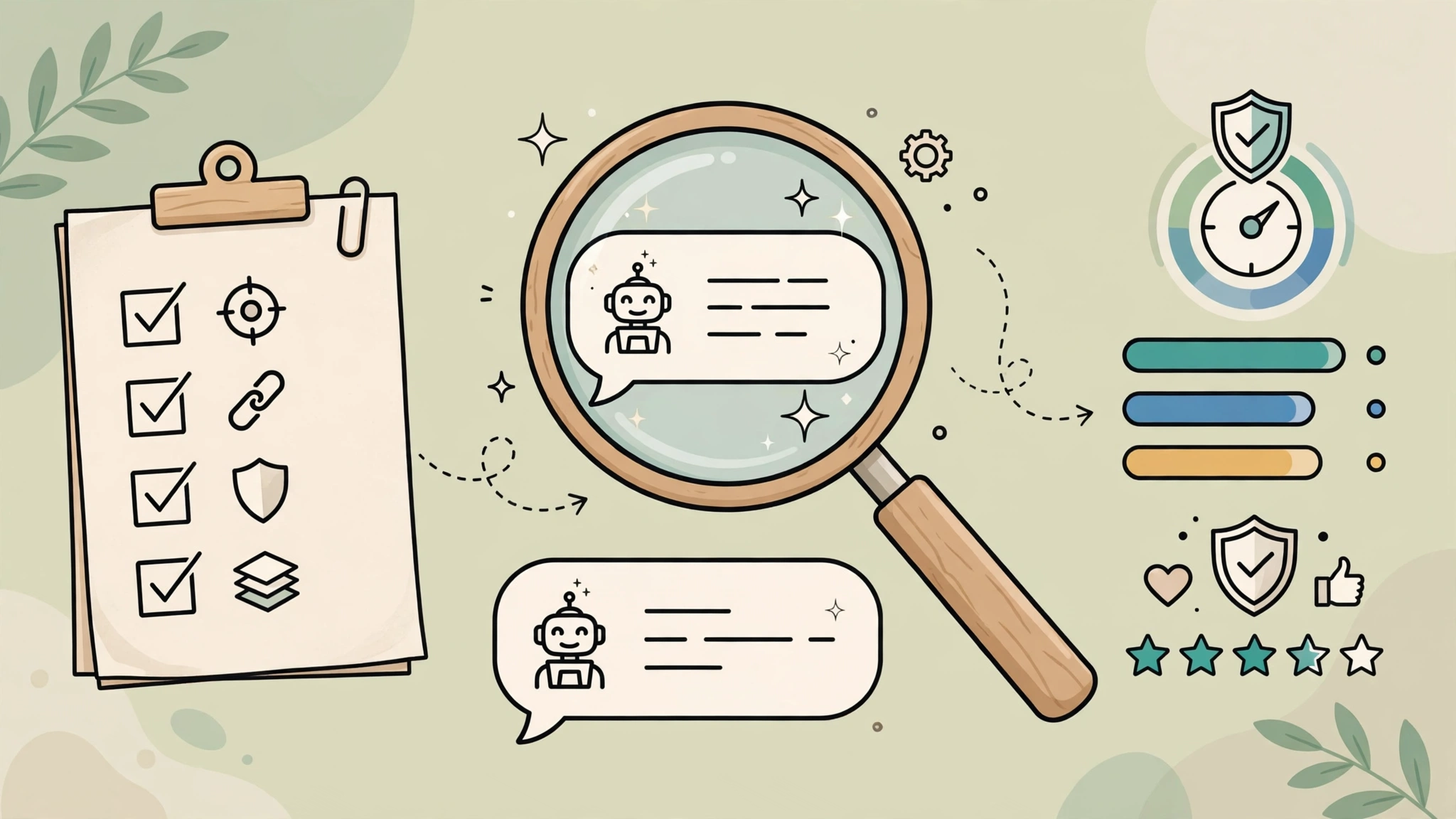
AI agents are software systems that can select and use tools toward a goal with varying degrees of autonomy. The label alone does not tell you what an agent can access, whether it can act without review, or how it handles mistakes. For everyday productivity, the useful question is narrower: is there a repeatable task where a bounded agent can prepare work while a person remains responsible for consequential decisions? For tasks where an agent can take an external action, apply the separate permission and approval checks in our guide to using AI agents at work without losing control.
Start with the task, not the agent
Look for work that is frequent, rule-bounded, reversible, and based on information the user is allowed to share. Examples include sorting a set of support messages into a draft queue, collecting links from an approved reading list, or preparing a first-pass meeting action list. These are possible workflows, not claims that a particular product performs them accurately in every setting.
Keep decisions involving money, employment, health, legal rights, account access, public communication, or deletion under explicit human control. NIST’s Generative AI Profile recommends managing risks across the AI lifecycle; Microsoft’s agent guidance likewise places responsibility on application developers to validate inputs and configure tool access for their scenario.
A practical fit check
Question
Safer starting point
Stop or redesign when
Is the task repeated and clearly described?
Give the agent one narrow outcome and a small approved input set.
Success depends on unstated context or changing judgment.
Can a mistake be reversed?
Have it create a draft, label, or proposed update.
It can send, spend, publish, delete, or change access without review.
Is the data appropriate for the tool?
Use public, synthetic, or approved low-sensitivity examples first.
Confidential or personal data would leave an approved system.
Can a person verify the result?
Show source records, proposed actions, and an approval step.
The result cannot be traced or checked before it matters.
Illustrative workflow: prepare a meeting follow-up
This example describes a design pattern; it is not a report of a test by AILooma. Provide a transcript only if the organization permits that use. Ask the system to extract proposed decisions, action items, owners, and open questions, with a source excerpt for each item. Save the output as a draft. The meeting owner checks names, commitments, and sensitive details before sending anything.
Choose one approved meeting and define what the output should contain.
Remove information the tool does not need and confirm the service’s data terms.
Ask for each proposed item to include the supporting transcript passage; allow “unclear” rather than guessing.
Review every owner, date, and decision against the source.
Record corrections and keep the send action with a human.
If the system invents an owner, treats a suggestion as a decision, or cannot show where an item came from, do not send the draft. Adjust the prompt or workflow and repeat with approved material.
Set permissions and approval boundaries
Give an agent only the tools and data required for its task. Prefer read-only access at first; separate reading from writing; require approval for external or hard-to-reverse actions. Use a dedicated account where practical, limit the connected folders or records, and document how to revoke access. Log the request, source material, proposed action, reviewer, and outcome without recording more sensitive information than needed.
Approval should occur before the tool call that changes external state, not merely after the agent reports that it acted. Microsoft’s documentation describes approval-required tool calls and human-in-the-loop workflows; implementation details vary by framework and product, so confirm the controls in the specific service you use.
Measure whether it helps
Compare the current process with a small, approved trial. Record the same task’s completion time, correction effort, missed items, escalations, and user acceptance before and during the trial. Do not assume a faster draft means a better result. If errors or review effort increase, narrow the task or return to the previous process. A small sample can reveal workflow issues, but it is not proof of broad productivity gains.
Common reasons to keep the task manual
The agent needs broad permissions to do a low-value task.
Its output is difficult to check or explain.
A mistake could harm a person, disclose private information, or cause an irreversible change.
The task is infrequent, ambiguous, or already handled reliably with a simple rule.
The organization has not approved the service or data flow.
Questions to ask before connecting an account
Which records can the agent read, and which actions can it take?
Can actions be restricted to drafts or a test workspace?
Where are prompts, files, logs, and outputs stored, and who can access them?
How are failures, duplicate actions, and access revocation handled?
Who is accountable for reviewing outputs and maintaining the workflow?
Bottom line: An AI agent is most useful as a constrained assistant for a well-defined process, not as an unreviewed substitute for responsibility. Begin with a reversible draft, minimal permissions, visible evidence, and a person who can stop the workflow.
Adding an AI agent to a team is a workflow-design decision, not just a software purchase. The word “agent” is used for systems with different levels of tool use and autonomy, so a team should document what its chosen system can read, propose, and change before connecting it to work. This guide focuses on redesigning handoffs and controls; it does not report AILooma-run company deployments or measured business outcomes.
Map the current workflow first
Choose one process and write down its trigger, inputs, owner, decisions, handoffs, exception paths, and final system of record. Mark which steps are rules-based, which require context, and which carry consequences if they are wrong. This exposes whether an agent is needed at all: a clear deterministic rule or a simpler form may solve the problem with less risk.
Three illustrative workflow patterns
The patterns below are design examples, not reports of tested deployments.
Support intake and routing
An agent can prepare a category and draft summary from an approved ticket. Keep customer-visible replies and refunds behind a person’s review. Preserve the original request, allow “uncertain,” and provide a way to correct a misrouted ticket.
Internal knowledge retrieval
An agent can search an approved document collection and draft an answer with document links and excerpts. Access rules must follow the underlying source permissions; a summary should not reveal content the user could not otherwise read. A person checks the cited passages before sharing a consequential answer.
Recurring operational report
An agent can collect defined fields from approved systems and prepare a report for an owner. Separate observation from action: it may flag a threshold for review, while a human decides whether to change a schedule, budget, or customer record.
Set a control boundary for every action
Action class
Default boundary
Control to document
Read approved data
Allow only the records required for the task.
Source permissions, retention, and access logs.
Prepare a draft or classification
Keep it in a review queue.
Show source material, uncertainty, and a correction path.
Change an internal record
Use a limited test workspace first.
Validate fields, prevent duplicate actions, and record the reviewer.
Send externally, spend, delete, or change access
Require explicit human approval before execution.
Confirm the exact target and payload; provide cancellation or rollback where possible.
Microsoft’s agent-safety guidance recommends validating inputs and constraining tool access for the application’s scenario; its framework also documents approval-required tool calls. NIST’s Generative AI Profile provides a voluntary risk-management framework. These are useful starting references, not substitutes for an organization’s legal, security, or privacy review.
Design the handoff and failure path
Define the contract. Specify required inputs, output schema, allowed tools, and what “not enough information” looks like.
Limit authority. Use the narrowest account, scopes, folders, and actions available. Avoid sharing personal credentials.
Require evidence. For each recommendation, display the source record or state that no supporting source was found.
Make actions idempotent. Use a stable event or request identifier where the connected system supports it, so retries do not silently create duplicate side effects.
Route exceptions. Send missing data, low confidence, permission errors, and conflicting sources to a named person instead of guessing.
Log enough to investigate. Record the workflow version, inputs permitted by policy, proposed action, approval, result, and error; avoid retaining sensitive content without a need.
Plan a stop and rollback. Name who can disable the integration, revoke its credentials, restore affected records, and tell users what happened.
Pilot without overstating results
First run the workflow on synthetic or approved low-risk material. Compare it with the current process using the same task definition. Track completion time, corrections, missed items, duplicate actions, escalations, and reviewer effort. Report the sample size, dates, workflow version, and limitations if sharing results. A small pilot is a local operational check; it does not establish general accuracy or enterprise-wide productivity impact.
When not to add an agent
The task has no clear owner or acceptance criteria.
A simple deterministic integration already does the job.
The data cannot be lawfully or safely sent to the chosen service.
There is no reliable way to review, stop, or reverse the action.
The expected benefit is smaller than the new maintenance, monitoring, and exception-handling work.
Redesign the handoff before expanding autonomy. Keep source permissions intact, make the agent’s proposed actions visible, require human approval for consequential changes, and measure the complete review workflow—including the work created by exceptions.
A local AI interface can reduce some data-transfer paths, but “runs locally” is not a complete privacy or security assessment. This guide explains how to think about a personal document-question-answering prototype that uses Ollama and Open WebUI. AILooma has not tested a specific hardware configuration or audited either application.
Understand the parts
Model runtime: Ollama downloads and runs a model. Hardware compatibility, memory demand, model license, and runtime options vary by model and version.
Web interface: Open WebUI can connect to a model server and provide a chat interface. Its database, uploads, configuration, and backups need their own access and storage controls.
Retrieval: a knowledge feature processes uploaded documents and retrieves relevant passages. Extraction, chunking, indexing, and retrieval can omit or misread content.
Start with public or synthetic documents
Choose a small set of documents you have permission to use.
Confirm the interface and model are running on the intended machine and that you have not added a hosted model, search provider, or external embedding service.
Ask questions whose answers are easy to find in the source documents.
Require the response to identify supporting passages and check them yourself.
Try a question not answered in the files and see whether the system can acknowledge the gap.
Record errors such as missing tables, outdated passages, or a confident answer without evidence.
Plan data handling before private documents
Local inference does not automatically make the entire workflow local. Prompts, uploaded files, logs, embeddings, model downloads, browser access, telemetry, backups, and configured cloud providers can follow different data paths. Open WebUI’s provider guide explains that the selected endpoint determines where inference happens and that separately configured services can still receive data. Review its current local and cloud model connection documentation and data-privacy guidance before use.
Open WebUI documents where persistent application data may be stored and how to plan updates in its update guidance. Protect the host account and storage, restrict network exposure, and verify backups. Do not expose an unauthenticated interface to the internet. For shared or business use, involve an administrator and security reviewer.
Model and hardware selection
Begin with a model that your hardware can support and a task you can evaluate. Model size, quantization, context length, and runtime affect resource use and output behavior. Hugging Face’s quantization overview describes memory/precision trade-offs; results depend on method and workload. Check the model card and license, then measure your own device rather than relying on generic latency or memory figures.
Limits of a document assistant
Retrieved text may be incomplete, stale, or unrelated to the question.
A citation or highlighted passage still needs a human check.
Documents can contain malicious instructions; treat retrieved content as untrusted input.
Local setup does not guarantee access control, encryption, safe backups, or regulatory compliance.
Build a prototype with a deliberate data path
Draw the route first. List where a document is selected, stored, indexed, sent to an embedding/model service, retrieved, logged, and shown to the user. A local interface or model does not prove every component stays on the device.
Start with public or synthetic files. Use a short document you are permitted to process. Remove hidden metadata where appropriate and note whether the interface creates an upload, a vector index, or an execution log.
Separate retrieval from generation. Ask a question whose answer is stated in the sample file, then require a passage or page reference. Ask a second question absent from the file and check whether the system says it cannot find the answer.
Inspect model and storage requirements. Confirm the chosen model’s license, memory/storage needs, download source, and update path from current Ollama and Open WebUI documentation. Keep models and document indexes in locations you understand and can remove.
Test deletion and restart behavior. Remove the sample collection through the documented UI/API, restart the services, and confirm whether the index or chat history remains. Do not treat a deleted source file as proof that derived embeddings or logs are gone.
Only move to private material after you can explain every network boundary and have approval to process that material. Check authentication, local network exposure, backups, account roles, and update procedures before allowing another person to connect. A private AI knowledge base still needs access control and maintenance.
This is a prototype planning and verification guide, not a validated install recipe or privacy audit. For a general AI model selection decision, see the small-versus-large model framework; for application-level production gates, use the developer release checklist.
Femica Maydinda Harend writes practical technology guides for AILooma, with attention to reproducibility, data paths, and limits.
Editorial note
This is a conceptual setup guide, not a validated deployment recipe or privacy audit. Version-specific behavior changes; consult current Ollama and Open WebUI documentation and do not use sensitive data until your configuration has been reviewed.
“Small” and “large” language models describe relative model scale, but parameter count alone does not tell you which model will work better for a task. This guide is for teams deciding what to evaluate, not a benchmark ranking. AILooma has not run model performance or cost tests for this article.
What size can and cannot tell you
Model size can influence memory and compute requirements, but actual behavior also depends on architecture, training, quantization, context length, runtime, hardware, and prompt or retrieval design. Hugging Face explains that quantization can reduce memory requirements while potentially affecting accuracy; trade-offs vary by method and workload in its quantization documentation. Do not infer quality or privacy from “small” or “local” alone.
Choose a candidate based on the task
Write the task clearly: define input, expected output, users, and what counts as an unacceptable error.
Set data boundaries: identify whether inputs contain personal, confidential, or regulated data, and which deployment options are permitted.
Define constraints: note the available hardware, response-time needs, expected usage, budget, language, and maintenance capacity.
Compare a small and a larger candidate: use the same permitted examples, prompts, settings, and evaluation criteria.
Review failures: include ambiguous, out-of-scope, and adversarial inputs—not only easy examples.
Build a representative evaluation set
Use examples that resemble the real workload and that you have permission to use. Keep a human-reviewed reference for each example. Score dimensions separately: task correctness, factual support, refusal or escalation when appropriate, latency, resource use, and output consistency. Record model name and version, runtime, quantization, hardware, prompt, and date so another person can repeat the comparison.
Understand deployment trade-offs
A locally run model may reduce the need to send prompts to a hosted provider, but local operation does not automatically guarantee privacy: logs, model downloads, telemetry, network access, and the application around the model still matter. Hosted services may provide managed infrastructure but require a review of their data terms and configuration. Model size alone does not decide this trade-off.
When a smaller model is a reasonable candidate
Consider evaluating one when the task is narrow, inputs and outputs are constrained, lower infrastructure requirements matter, and errors can be caught. It still needs task-specific validation. A larger candidate may be appropriate when your evaluation shows it handles the required complexity better and its added operational cost and data path are acceptable.
Decision worksheet
Question
Evidence to record
Does it solve the defined task?
Results on a human-reviewed evaluation set
Can it run within the environment?
Measured memory, latency, and resource use on target hardware
Can the data be used safely?
Approved data path, access controls, retention, and logging
Can failures be managed?
Escalation rules, fallback, monitoring, and an accountable owner
Can the team maintain it?
Version updates, license review, dependencies, and operational support
Femica Maydinda Harend writes practical technology guides for AILooma, focusing on clear evaluation methods and responsible choices.
Editorial note
This article provides a selection framework, not comparative results or purchasing advice. Model availability, licenses, and hardware support change; verify current primary documentation and run your own approved evaluation before deployment.
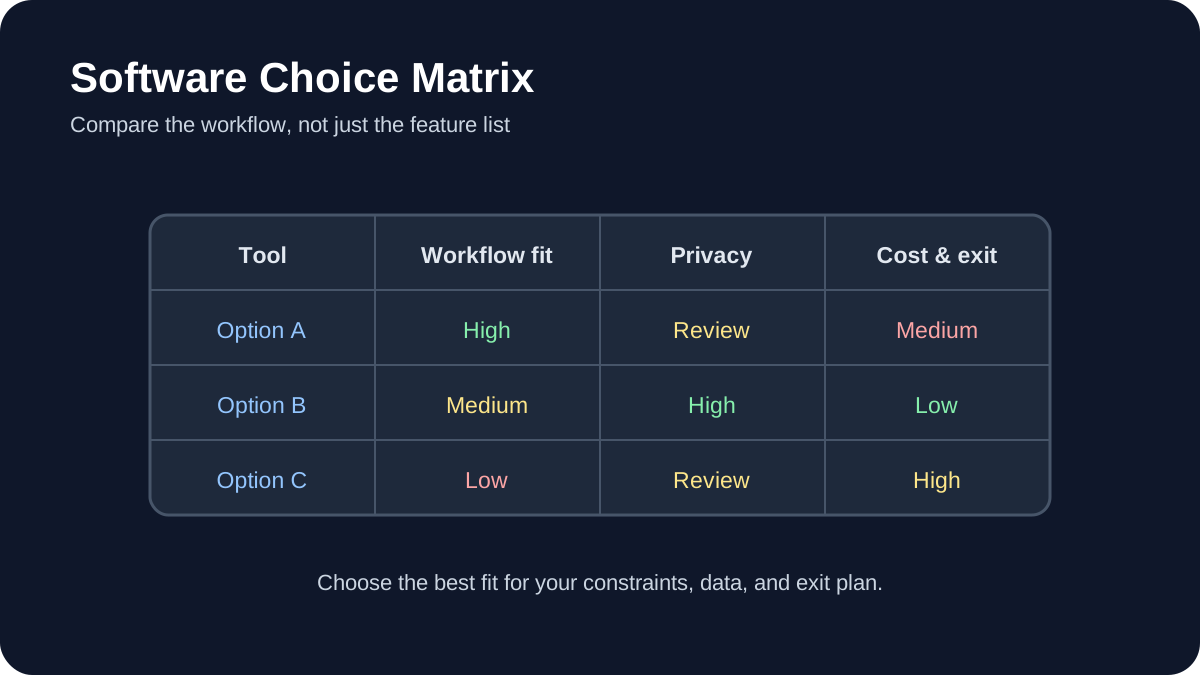
Software Choice Matrix. Compare workflow fit, privacy, portability, and total cost before choosing a tool.
The strongest free AI learning resources let you build something, inspect the result, and repeat the process. This guide curates official tutorials and documentation for data science, machine learning, large language models, computer vision, audio, evaluation, and deployment.
Quick answer
Beginners can start with Kaggle Learn or TensorFlow notebooks. Developers interested in open models can use Hugging Face Learn. Teams moving toward production should add experiment tracking, evaluation, data versioning, security testing, and documented human review.
Important: free software does not guarantee free compute, storage, API access, or commercial usage rights. Check each project’s current license and service terms.
How these resources were selected
Every primary recommendation links to an official project or maintainer resource. The list favors runnable examples, visible prerequisites, active documentation, reproducibility, and a path from basic concepts to practical work. It does not claim that every resource is suitable for every learner.
1. Kaggle Learn
Kaggle Learn offers practical courses and guides covering Python, pandas, machine learning, natural language processing, computer vision, model evaluation, and newer generative-AI topics. Its browser-based environment reduces local setup, which makes it useful for an initial project.
Review dataset licenses and notebook resource limits before relying on the platform for ongoing work. Export important notebooks and document dependencies.
2. Hugging Face Learn
Hugging Face Learn provides maintained courses for large language models, agents, computer vision, audio, diffusion, reinforcement learning, and other open-source ecosystems. Course prerequisites vary; some tracks assume Python and machine-learning fundamentals.
Read model cards, dataset cards, and licenses before using artifacts. Open availability does not automatically mean a model is appropriate for sensitive or commercial work.
3. TensorFlow Tutorials
TensorFlow’s official tutorials are Jupyter notebooks that can run in Google Colab. Beginner material starts with the Keras sequential API and expands into data loading, text, images, structured data, and more advanced workflows.
Record package versions when saving a notebook. A tutorial that runs in a hosted environment today may need dependency changes later.
4. PyTorch Tutorials
PyTorch Tutorials cover tensors, datasets, model building, optimization, distributed training, computer vision, and deployment-related topics. Use the beginner series before adapting advanced examples.
Choose the installation instructions for your operating system and hardware from the official site. GPU support depends on compatible drivers and packages.
5. scikit-learn User Guide and Examples
scikit-learn is a practical entry point for conventional machine learning. Its documentation connects algorithms with preprocessing, model selection, pipelines, metrics, and common pitfalls.
Start with a simple baseline before choosing a more complex model. Keep training and evaluation data separate and select metrics that match the real cost of errors.
6. fast.ai
Practical Deep Learning for Coders emphasizes building working models and then examining the underlying concepts. It is better suited to learners comfortable with coding than absolute beginners who have never used Python.
Follow the course’s current environment instructions rather than copying setup steps from an older blog post.
7. OpenCV tutorials
OpenCV tutorials cover image processing, feature detection, camera calibration, object detection, and related computer-vision foundations. They are useful for understanding the processing around an AI model, not only the model itself.
Use authorized images and test across lighting, camera, and subject variation. A demonstration on one image does not establish reliable real-world performance.
8. MediaPipe documentation
MediaPipe Solutions documents ready-to-use tasks for vision, text, and audio across supported platforms. It can shorten prototyping, but developers should still inspect model limitations, platform requirements, and data handling.
9. spaCy course and usage guides
spaCy’s official usage documentation covers production-oriented natural-language processing, including pipelines, linguistic features, training, and packaging. It is appropriate when a deterministic NLP pipeline may be more suitable than a general-purpose language model.
10. MLflow tutorials
MLflow’s getting-started resources cover experiment tracking for machine learning and current workflows for LLMs and agents, including tracing and evaluation. Tracking is valuable because it connects a result with the code, parameters, data, and environment that produced it.
11. DVC documentation
DVC’s getting-started documentation introduces data and experiment versioning alongside Git-based projects. It is useful when datasets and model artifacts are too large or unsuitable for a normal source repository.
Versioning does not replace access control or backup. Decide where remote data is stored and who is authorized to retrieve it.
12. NVIDIA NeMo Guardrails
NeMo Guardrails documentation provides examples for adding programmable controls around conversational AI applications. Guardrails are one layer of defense and do not eliminate the need for authorization, output validation, monitoring, or human review.
A project-based learning sequence
Learn Python and data handling with a small public dataset.
Train and evaluate a conventional baseline.
Repeat the task with a neural-network framework when justified.
Record experiments and dependencies.
Create edge cases and adversarial tests.
Package a small interface or API without exposing secrets.
Document data, model, limitations, and rollback.
Responsible implementation checklist
Use data you are allowed to use. Inspect licenses. Separate training, validation, and test data. Do not publish performance numbers without a reproducible method. Test demographic and environmental variation where relevant. Treat downloaded models and packages as supply-chain dependencies. Validate model output before another system executes it.
The AILooma AI implementation roadmap explains how to add ownership, permissions, evaluation, security, and rollback when a learning project becomes an operational system.
Final takeaway
A good free tutorial should lead to evidence: a notebook you understand, an experiment you can reproduce, or an application whose limitations you can explain. Choose one resource that matches your current level, complete a small project, and document the failures before adding another tool.
Practical example: a first AI learning project with a measurable result
A beginner can turn a broad learning plan into a small project by choosing one input, one transformation, and one evaluation. For example, collect a modest set of public product reviews, classify each review as positive, neutral, or negative, and compare the model’s labels with a small human-reviewed sample.
Define the task and the labels before writing code.
Keep a separate test set that is not used while adjusting the prompt or model.
Record the model version, prompt, date, and any preprocessing steps.
Review incorrect and uncertain predictions instead of reporting only the accuracy number.
Write a short limitations note explaining where the model should not be trusted.
This project teaches data preparation, evaluation, reproducibility, and responsible interpretation at the same time. It also produces a concrete artifact—a dataset, a short report, and a repeatable notebook—that demonstrates learning more clearly than a list of tutorials completed.
Practical verification and limits
Prefer official documentation and reproducible notebooks, check license and hardware requirements, pin versions for experiments, and document results rather than copying unverified claims.
Editorial review and limitations
Reviewed by Femica Maydinda Harend. Recommendations are based on documented behavior and reproducible checks. Tools, models, and policies can change; verify current details before acting.
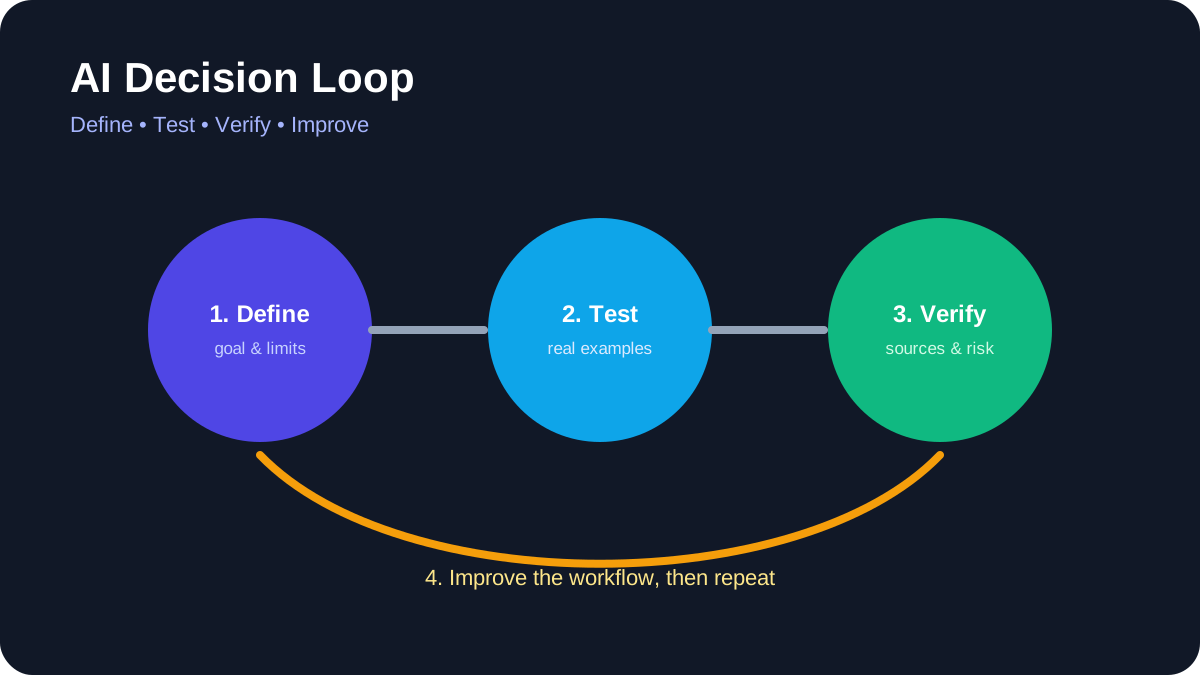
AI Decision Loop. Define the task, test real examples, verify evidence, and improve the workflow.
You do not need to become a programmer to use artificial intelligence responsibly. Non-technical professionals can get value from AI by choosing bounded tasks, protecting sensitive information, checking outputs, and keeping people accountable for final decisions.
Quick answer
Begin with reversible work such as brainstorming, restructuring your own draft, summarizing public material, or creating a checklist. Do not upload confidential data, verify every important claim, and keep human approval for communication, publication, purchases, and decisions about people.
Best for: writers, educators, marketers, administrators, managers, designers, and small-business teams.
What “non-technical” AI use actually means
Using an AI application does not require understanding every detail of model training. It does require understanding the task, the information being shared, the limitations of the output, and the consequences of a mistake. These are operational skills rather than programming skills.
A useful starting question is: “Can I check the answer?” If you cannot verify the result or do not have authority to share the input, the task is not suitable for casual AI assistance.
1. Drafting from information you provide
AI can reorganize notes into an outline, suggest alternative wording, or adapt a draft for a defined audience. Provide the source material and specify what must remain unchanged. Compare the output with the original before using it.
Do not ask the system to invent quotations, customer stories, statistics, or personal experience. Authorship and accountability remain with the person who approves the final text.
2. Summarizing public or authorized documents
Ask for a summary that separates facts, recommendations, and unresolved questions. Require page numbers or links when the tool supports them. Then open the source and confirm important details, especially dates, thresholds, exclusions, and legal language.
For sensitive internal documents, use only tools and accounts approved by the organization. Personal subscriptions may have different retention and administration controls.
3. Brainstorming alternatives
AI is useful for generating options when the final choice belongs to a human. Examples include possible interview questions, lesson activities, campaign angles, or ways to structure a presentation. Treat suggestions as raw material, not expert advice.
State constraints such as audience, budget, tone, accessibility, and prohibited claims. Reject ideas that rely on stereotypes, unverifiable facts, or unsafe actions.
4. Creating checklists and templates
A model can turn an established process into a draft checklist. Give it the actual process and ask it to identify missing decisions or ambiguous steps. Have the process owner validate the result before anyone relies on it.
Templates should include an owner, review point, exception path, and version date. Otherwise, a convenient document can quietly become outdated policy.
5. Comparing information
AI can organize supplied product specifications, requirements, or survey responses into a table. It should not invent missing values. Ask it to mark unavailable information explicitly and link to primary sources.
Prices, plan limits, product names, and features change. Check official vendor pages before publishing a comparison or making a purchase.
6. Assisting with visual work
Tools such as Canva provide AI-assisted image, audio, and background features. Current usage limits depend on the plan, and generated material still requires review for accuracy, accessibility, rights, and brand fit. Use the product’s official help center for current controls.
Do not represent generated images as documentary evidence. Add alt text based on what the image communicates, not a keyword list.
7. Organizing a workspace
Workspace assistants can help locate authorized information, rewrite notes, or draft task lists. Review sharing permissions before connecting additional sources. Test in a small area so the assistant cannot expose material across teams or clients.
Notion’s help center, for example, documents current AI availability and connected-source behavior. Similar products differ, so do not assume settings transfer from one service to another.
8. Preparing meetings
Use AI to draft an agenda from confirmed objectives, summarize non-sensitive preparation material, or format action items. A human should confirm decisions, owners, and deadlines. Meeting transcripts may contain personal or confidential information and should be handled according to workplace policy.
9. Improving accessibility and clarity
AI can propose plain-language versions, headings, summaries, or alternative descriptions. These are starting points. Check that simplification did not remove necessary qualifications and that accessibility guidance is reviewed by someone familiar with the audience.
10. Learning unfamiliar concepts
Ask for an explanation, examples, and questions you can use to test your understanding. Then confirm the concept with authoritative documentation or instruction. AI can support learning, but it can also produce convincing errors.
Tasks that require extra caution
Do not delegate hiring, firing, credit, medical, legal, financial, disciplinary, or safety decisions to a general AI tool. Avoid entering passwords, private keys, identity documents, unpublished financial information, protected health information, or confidential client material.
When an AI tool can send messages or change another system, follow the controls in AILooma’s AI agent safety guide. Use least privilege, approval gates, logs, and a clear way to revoke access.
A simple verification routine
Read the answer once for overall meaning.
Compare it with the supplied source.
Verify names, dates, numbers, links, and quotations independently.
Check what important context was omitted.
Remove private information and unsupported claims.
Have the accountable person approve the final result.
How to evaluate whether a tool belongs in your workflow
Test one real task with safe data. Record setup effort, correction time, output quality, privacy controls, export options, and cost. Repeat the task before drawing conclusions. A product is useful only when it improves the full workflow, including human review.
Final takeaway
Non-technical users do not need to surrender control to benefit from AI. Clear tasks, safe inputs, source checking, limited permissions, and human accountability matter more than clever prompting. Start small and expand only when the evidence from your own workflow supports it.
Practical example: using AI safely for a non-technical weekly report
A non-technical professional can start with low-risk material such as a draft agenda or a redacted set of notes. Ask the tool to organize information, not to make a final decision or invent missing facts.
Remove names, account numbers, confidential figures, and anything the service does not need.
Give the tool a clear format: summary, open questions, source text, and suggested next steps.
Compare every important statement with the original notes.
Mark uncertain items and ask a subject-matter colleague to review them.
Save the final human-approved version and record where AI assistance was used.
This workflow preserves the professional’s judgment while using AI for structure and first drafts. It also creates a clear boundary between assistance and accountability.
Practical verification and limits
Classify information before sharing it, use approved tools, verify important outputs against source documents, and keep a person accountable for final decisions.
Editorial review and limitations
Reviewed by Femica Maydinda Harend. Recommendations are based on documented behavior and reproducible checks. Tools, models, and policies can change; verify current details before acting.
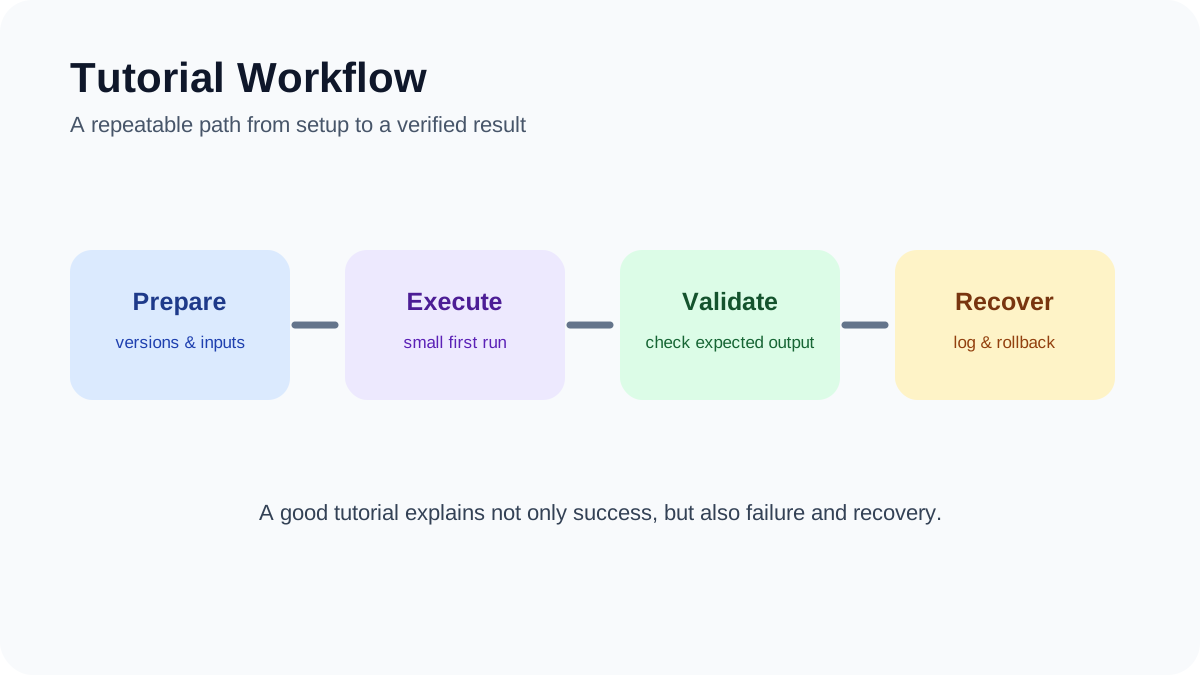
Tutorial Workflow. A repeatable path from preparation and execution to validation and recovery.
Learning artificial intelligence from scratch is easier when you begin with one useful task instead of trying to understand every model, tool, and technical term at once. This project-based tutorial shows beginners how to choose a safe first use case, test an AI output, document mistakes, and decide whether coding is necessary.
Quick answer
Start with a low-risk task such as summarizing your own notes, classifying non-sensitive text, or comparing two drafts. Use sample data, keep the original source beside the output, and record what the AI gets right and wrong. Only add automation or code after the manual workflow is reliable.
Best for: students, creators, office workers, and career changers with little or no AI experience.
What you will learn
By the end of this tutorial, you will understand the difference between using an AI application and building an AI system. You will also have a small completed project, a repeatable evaluation checklist, and a clearer idea of which learning path to follow next.
Step 1: Choose one narrow problem
A useful beginner project has a clear input, a visible output, and a simple way to check the result. Good examples include turning meeting notes into an action list, grouping customer questions by topic, explaining unfamiliar terminology, or drafting alternative headlines. Avoid medical, legal, financial, employment, or security decisions while you are still learning.
Write the task in one sentence: “Given this input, produce this output for this audience.” That sentence becomes the boundary of the experiment. If the task requires access to private workplace material, replace it with fictional or anonymized examples.
Step 2: Build a small test set
Collect several representative examples rather than judging the tool from one impressive response. Include an easy example, an ambiguous example, and an example that should cause the model to say it lacks enough information. Keep the expected result or original source available for comparison.
A spreadsheet is enough for tracking. Use columns for the input, prompt, output, factual errors, missing details, useful details, and final decision. This creates evidence you can revisit when the tool, prompt, or model changes.
Step 3: Write a prompt that can be checked
State the task, provide the necessary context, define the output format, and tell the model how to handle uncertainty. For example: “Summarize these notes into decisions, owners, and open questions. Do not invent missing owners. Mark uncertain items as unconfirmed.”
A longer prompt is not automatically better. The goal is a clear instruction whose output can be compared with the source. Never treat a confident tone as proof that an answer is correct.
Step 4: Review the output manually
Check names, dates, numbers, quotations, links, and conclusions against the original material. Look for omitted context as well as fabricated details. If the answer cites a source, open that source and confirm that it actually supports the claim.
AILooma’s guide to fact-checking AI-generated answers provides a deeper verification workflow. The central rule is simple: an AI output is a draft or hypothesis until reliable evidence confirms it.
Step 5: Change one variable at a time
If the result is weak, revise one part of the prompt and run the same test set again. Changing the model, prompt, data, and settings simultaneously makes it difficult to understand what improved or degraded the result.
Keep a short version history. Record the prompt, date, tool, relevant settings, and a sentence explaining why you changed it. This habit is more useful than collecting large libraries of untested prompts.
Step 6: Decide whether you need code
No-code tools are suitable for learning concepts and testing a workflow. Coding becomes useful when you need repeatability, structured data, version control, custom validation, or integration with another system. Python is common in AI education, but it is not a prerequisite for understanding responsible use.
If you want hands-on coding practice, official resources such as Kaggle Learn, TensorFlow Tutorials, and Hugging Face Learn provide guided exercises. Follow the current setup instructions on each official site because interfaces and dependencies change.
Step 7: Add automation only after testing
Automation increases both convenience and risk. Before connecting email, cloud storage, calendars, or publishing systems, test with non-sensitive data and require human approval for sending, deleting, purchasing, publishing, or changing permissions.
Define what happens when an input is missing, an API is unavailable, or the output fails validation. A workflow is not ready merely because it succeeds once.
How to choose your next learning resource
Choose a resource based on the project you want to complete. Non-technical learners may start with Google AI Essentials or another introductory course that focuses on everyday tasks. Learners who want to work with open models can use Hugging Face’s current courses. People interested in machine learning fundamentals can begin with Kaggle or TensorFlow notebooks.
Before paying for a course, inspect its syllabus, prerequisites, update history, refund terms, and sample lessons. Product-specific courses age quickly, so current official documentation should remain part of your learning process.
Beginner evaluation checklist
Can you describe the task and expected output in one sentence?
Are you using public, fictional, or properly authorized data?
Do you have examples that include both normal and difficult cases?
Can every factual statement be checked against a reliable source?
Have you recorded failures as well as successful outputs?
Can you stop or reverse the workflow if something goes wrong?
Do you know which part still requires human judgment?
Common mistakes
Tutorial hopping creates familiarity without practical skill. Tool overload makes comparison difficult. Copying prompts without understanding the input and evaluation method produces fragile results. The most productive approach is to finish one small project, document it honestly, and then increase complexity.
Do not claim that a tool saved time or improved quality unless you measured the same task before and after using it. Do not upload confidential material merely because a tutorial does so. Always check the tool’s current data controls and your organization’s policies.
Final takeaway
Your first AI project does not need to be impressive. It needs to be understandable, testable, and safe. A small workflow with documented limitations teaches more than a large demonstration you cannot explain. Once you can evaluate the result consistently, you are ready to explore automation, APIs, local models, or more technical coursework.
A manageable learning plan can produce one small, inspectable project each week. Week one focuses on prompts and data hygiene; week two compares outputs on a fixed test set; week three adds a simple script or notebook; week four documents limitations and presents the result.
Choose one recurring problem and define what a successful answer looks like.
Collect a small, lawful, and representative sample while removing personal information.
Keep prompts, model versions, dates, and evaluation notes in a simple log.
Review failures manually and adjust one variable at a time.
Write a short README explaining how another learner can reproduce the exercise.
The project is valuable even when the model performs imperfectly. The learning comes from defining a task, measuring it, understanding failure modes, and communicating what should—and should not—be trusted.
Practical verification and limits
Start with a small project using non-sensitive data, define a measurable output, compare AI results with a trusted reference, and record what failed before adding automation.
Editorial review and limitations
Reviewed by Femica Maydinda Harend. Recommendations are based on documented behavior and reproducible checks. Tools, models, and policies can change; verify current details before acting.
AI Decision Loop. Define the task, test real examples, verify evidence, and improve the workflow.
AI can summarize documents, generate ideas, analyze patterns, automate repetitive work, and help people make faster decisions.
But faster does not always mean better.
Some tasks involve values, accountability, relationships, uncertainty, or consequences that cannot safely be reduced to pattern recognition alone. In these situations, AI may still be useful as an assistant—but it should not become the final decision-maker.
This guide explains when you should not rely on AI alone and highlights seven areas where meaningful human judgment should remain central.
The Core Principle: Assistance Is Different From Authority
The important question is not:
“Can AI do this task?”
A better question is:
“Should AI have authority over the final decision?”
An AI system may be capable of:
summarizing evidence;
identifying patterns;
generating options;
predicting likely outcomes;
drafting recommendations.
But those abilities do not automatically make it appropriate to decide what should happen.
As the stakes increase, human accountability becomes more important.
1. Moral and Ethical Decisions
AI can describe ethical frameworks, compare arguments, and identify competing values.
What it cannot do is become morally responsible for the consequences of a decision.
Why This Matters
Ethical decisions often involve conflicts between legitimate values.
For example:
privacy versus public safety;
individual autonomy versus collective benefit;
fairness versus efficiency;
transparency versus confidentiality;
short-term benefit versus long-term harm.
There may be no mathematically correct answer.
People must decide which values deserve priority and accept responsibility for that choice.
AI Can Help With Ethical Deliberation
AI can still be useful for:
summarizing relevant ethical frameworks;
identifying stakeholders;
surfacing potential unintended consequences;
generating questions for discussion;
comparing different interpretations.
But the final moral judgment should remain with accountable humans.
2. High-Stakes Legal Interpretation
AI can search legal documents, summarize cases, organize evidence, and help draft documents.
But legal interpretation often requires more than retrieving relevant text.
It may involve:
jurisdiction;
binding versus persuasive authority;
procedural rules;
recent legal developments;
conflicting precedent;
strategic considerations;
professional responsibility.
Why AI Alone Is Risky
AI systems can generate incorrect citations, misstate holdings, overlook jurisdictional differences, or present an uncertain interpretation with excessive confidence.
Even when the underlying legal text is correct, applying it to a specific situation may require professional judgment.
A Better Role for AI
AI may assist with:
case-law research;
document summarization;
issue spotting;
draft organization;
comparison of arguments.
Final legal advice, litigation strategy, judicial decisions, or other consequential legal conclusions should remain under qualified human review.
3. Clinical Diagnosis and Patient Care
AI can be valuable in healthcare.
It can help analyze images, organize patient information, summarize records, identify patterns, and support clinical workflows.
But medical care involves more than pattern recognition.
Patients Are More Than Data Points
A clinician may need to consider:
symptoms;
medical history;
medications;
physical examination;
family context;
patient preferences;
quality-of-life priorities;
uncertainty that cannot be resolved immediately.
Some of this information may never appear in structured data.
AI Can Support, But Should Not Replace, Clinical Judgment
Appropriate uses may include:
summarizing medical literature;
organizing patient records;
highlighting possible differential diagnoses;
assisting with administrative tasks;
supporting narrow validated diagnostic workflows.
But diagnosis, treatment decisions, informed consent, and other high-impact clinical decisions should involve qualified healthcare professionals.
4. Crisis Intervention
Crisis situations require a particularly high level of caution.
Examples include:
suicidal thoughts;
immediate risk of self-harm;
domestic violence;
acute psychiatric crisis;
medical emergency;
threats of violence.
Why Human Judgment Matters
Crisis response may require a person to:
recognize rapidly changing risk;
ask follow-up questions;
interpret incomplete information;
understand local emergency resources;
make decisions about escalation;
remain accountable for those decisions.
An AI system can provide general supportive information, but it should not be treated as an autonomous replacement for emergency services, qualified clinicians, crisis professionals, or trusted human support.
AI Should Know When to Escalate
In well-designed systems, one of AI’s most important functions may be recognizing when the situation exceeds its appropriate role.
A responsible system should help route a person toward appropriate human support instead of pretending that conversational fluency is equivalent to crisis expertise.
5. Leadership and High-Impact People Decisions
AI can help leaders analyze information, model scenarios, summarize employee feedback, and prepare communication.
But leadership involves responsibility for people—not only optimization.
Some Decisions Require Human Accountability
Examples include:
layoffs;
promotion decisions;
disciplinary actions;
conflict resolution;
organizational restructuring;
culture-changing decisions.
These decisions affect livelihoods, careers, relationships, and trust.
A statistical recommendation may provide useful information, but it should not replace contextual understanding or accountable leadership.
AI Can Inform Leadership Without Becoming the Leader
Useful applications include:
scenario analysis;
meeting summaries;
draft communication;
trend analysis;
identifying questions leaders should investigate.
But human leaders should remain responsible for interpreting that information and deciding what the organization will stand for.
6. Creative Authorship and Personal Expression
This category requires a little nuance.
AI absolutely can help people create.
It can:
brainstorm ideas;
generate drafts;
suggest visual concepts;
help overcome creative blocks;
explore variations;
assist with editing.
But creative assistance is different from human authorship.
Why Human Direction Still Matters
Meaningful creative work often reflects:
personal experience;
cultural context;
memory;
intent;
taste;
values;
deliberate stylistic choices.
AI can generate material that resembles these qualities, but the human creator remains responsible for deciding what the work means, what should remain, and what should be removed.
Copyright and Attribution Add Another Layer
AI-generated content also creates questions about authorship, licensing, attribution, training data, and copyright.
Those rules continue to evolve across jurisdictions.
If AI materially contributes to published creative work, creators should understand the applicable platform rules, licensing terms, and current legal guidance.
7. Diplomacy, Mediation, and Deep Human Negotiation
Negotiation is not simply an optimization problem.
People may care about:
status;
historical grievances;
trust;
symbolism;
cultural expectations;
relationships;
future cooperation.
Some agreements depend on language that is intentionally flexible or sensitive to context.
Where AI Can Help
AI may assist negotiators by:
summarizing positions;
translating documents;
comparing proposals;
mapping areas of agreement;
identifying unresolved issues;
preparing background research.
Where Human Judgment Remains Essential
Final negotiation may require interpreting:
tone;
trust;
intent;
relationship history;
cultural meaning;
political consequences.
Those judgments should remain with people who understand the parties and can be held responsible for the outcome.
A Better Framework: Ask What AI Should Be Allowed to Do
Instead of deciding whether AI should be completely used or completely banned, divide the task into levels.
Level
AI Role
Human Role
1. Inform
Retrieve and summarize information
Review the information
2. Recommend
Generate possible options
Choose among them
3. Prepare
Draft an action
Approve or reject it
4. Execute
Perform an approved action
Monitor and remain accountable
5. Decide
Make the final consequential judgment
Minimal involvement
For high-stakes human-centered tasks, the safest boundary is often to keep AI in Levels 1–3 rather than giving it final decision authority.
Three Questions to Ask Before Delegating a Decision to AI
Before allowing AI to make or execute an important decision, ask:
1. Can the Decision Be Reversed?
Generating a bad draft can be corrected.
Denying medical treatment, terminating an employee, or making a legal filing may be much harder to reverse.
2. Who Is Accountable If the AI Is Wrong?
If nobody can clearly answer this question, the system probably has too much autonomy.
3. Does the Decision Require Values or Context That Cannot Be Fully Encoded?
If the answer depends on fairness, dignity, trust, culture, consent, or other contested human values, human judgment should remain central.
Warning Signs That You Are Delegating Too Much to AI
Employees are told to follow the AI recommendation unless they can prove it is wrong.
No human can explain why a consequential decision was made.
AI output is treated as objective simply because it contains numbers.
Users cannot appeal an AI-assisted decision.
The system operates outside its original intended context.
Human reviewers become rubber stamps rather than genuine decision-makers.
People affected by the decision do not know AI was involved.
These are governance problems, not merely model-quality problems.
When AI Is Still Extremely Useful
Keeping humans responsible does not mean rejecting AI.
AI is particularly useful when it:
reduces repetitive administrative work;
organizes large amounts of information;
helps people consider alternatives;
drafts material for human review;
finds patterns that deserve further investigation;
helps experts work faster without removing their authority.
The strongest systems often combine machine scale with human accountability.
A Human-Judgment Checklist
Before using AI for an important decision, ask:
What happens if this decision is wrong?
Can the outcome be reversed?
Does the task involve health, rights, safety, employment, money, or legal consequences?
Does the decision require empathy, cultural context, or moral judgment?
Is an appropriately qualified person reviewing the result?
Can that person disagree with the AI?
Is there an appeal or escalation path?
Can we explain how the final decision was reached?
Is AI being used because it genuinely helps—or simply because automation is available?
How This Guide Was Prepared
This guide distinguishes between tasks where AI can provide useful assistance and tasks where final authority should remain with accountable humans.
The recommendations focus on consequence, reversibility, accountability, human values, professional expertise, and the difference between generating information and making consequential decisions.
AI capabilities, laws, professional standards, and organizational policies continue to evolve. Specific medical, legal, employment, security, or regulatory uses should therefore be evaluated against current authoritative guidance for the relevant jurisdiction and profession.
Frequently Asked Questions
Should AI never be used for ethical decisions?
AI can help organize arguments, identify stakeholders, and explore possible consequences.
It should not be treated as the morally accountable authority responsible for the final decision.
Can AI be used in medicine?
Yes.
AI already has useful applications in healthcare, including narrow diagnostic tasks, information processing, documentation, and workflow support.
The important distinction is between assisting qualified professionals and replacing accountable clinical judgment in consequential decisions.
Can AI be used for legal work?
Yes.
AI can assist with research, summarization, drafting, document review, and information retrieval.
But lawyers and other qualified professionals remain responsible for verifying legal authorities, complying with professional obligations, and making consequential legal judgments.
Does AI lack creativity?
AI can generate novel-looking text, images, audio, and other creative material.
The more useful distinction is that AI does not have a human biography, personal intentions, lived experience, or cultural stake in the work it generates.
Human creative direction therefore remains important when meaning, authorship, attribution, or personal expression matters.
Can AI replace managers or leaders?
AI can automate parts of management and help leaders analyze information.
But decisions affecting people, culture, trust, accountability, and organizational values should not be delegated entirely to an AI system.
What is the easiest rule for deciding whether AI should make a decision?
Ask:
If this goes wrong, would a responsible human need to explain, defend, or repair the outcome?
If the answer is yes, that human should probably remain meaningfully involved before the decision is finalized.
Final Takeaway
The question is not whether AI is powerful enough to participate in important work.
It already can.
The harder question is where its authority should stop.
AI is excellent at scale, speed, information processing, and generating options.
Humans remain essential when decisions require:
accountability;
ethical judgment;
professional responsibility;
empathy;
cultural context;
relationship awareness;
acceptance of consequences.
The most responsible future is therefore not “human versus AI.”
It is choosing carefully which parts of a task should be automated—and making sure the person responsible for the outcome never disappears from the process.
Practical example: deciding when a task should stay human-led
Take a hiring, medical, financial, or safety-related decision and map the consequences of an incorrect answer. If the cost of a mistake is high or the evidence is incomplete, AI can help organize information but should not make the final call.
Describe the decision and who is accountable for it.
Separate factual lookup from judgment, empathy, or policy interpretation.
Use AI only for the low-risk preparation step.
Require a qualified human to check evidence and approve the outcome.
Record the reason for the final decision and any uncertainty.
This boundary makes AI useful without disguising a consequential judgment as an automated answer.
Practical verification and limits
Use AI to organize or draft, but retain human responsibility for safety, legal, medical, financial, employment, and rights-affecting decisions.
Editorial review and limitations
Reviewed by Femica Maydinda Harend. This guidance favors reproducible checks and transparent uncertainty. Tools and policies change, so verify current details before acting.
AI answers can be useful, incomplete, or wrong in different ways. Review effort should match what could happen if an error is missed. This framework helps a team organize evaluation; it does not supply a universal score, benchmark, or certification.
Tier 1: Low-impact drafts
Examples include brainstorming titles or reorganizing non-sensitive notes. Review for relevance, tone, and unsupported factual additions. Keep a person responsible for the final output.
Tier 2: Work that affects a decision or external communication
Check factual claims against original sources, inspect citations, confirm required context, and review for privacy or bias concerns. Document who approves the final action.
Tier 3: High-impact or irreversible uses
Do not rely on a general-purpose answer as the decision-maker. Require qualified human review, representative evaluation data, documented access controls, an escalation route, and an incident response plan. Follow applicable laws and organizational policy.
Build a task-specific rubric
Define the user, intended purpose, and prohibited use.
List normal, ambiguous, and adversarial examples.
Set criteria for correctness, completeness, source support, refusal, privacy, and escalation.
Assign reviewers and describe what evidence they should inspect.
Reassess when a model, prompt, data source, or connected tool changes.
Separate dimensions instead of hiding them in one score
Accuracy, usefulness, fairness, privacy, latency, and cost are different questions. A high average on an easy set can conceal a dangerous failure on a rare case. Report individual failure modes and the limits of the evaluation set.
Turn the risk tier into a review decision
A useful evaluation record connects a task to an action someone can take. Record the intended user, allowed input, expected output, consequence of an error, reviewer, evidence to inspect, and what happens when the answer is uncertain. Keep these as separate fields; a single average score can hide a failure that matters.
Define the decision. State whether the model is drafting, retrieving, recommending, or changing something. Name the human who remains accountable.
Write representative cases. Include an ordinary request, missing context, conflicting evidence, an out-of-scope request, and a privacy-sensitive input that should be refused or redirected.
Set a pass condition per case. For example, a source-finding task must link to the relevant record and distinguish a quotation from an inference. Do not count fluent wording as evidence.
Route failures. Decide whether the system may retry, must ask for context, or must stop for human review. An unsafe answer should not become acceptable because the other examples passed.
Re-evaluate changes. Repeat the same cases when a model, prompt, connected tool, or source collection changes, and note what changed.
Illustrative review record
Suppose a fictional assistant summarizes a sample policy and states that “requests must be filed by 12 May.” The fictional source says “13 May.” Mark the claim contradicted, retain the source passage, correct the draft, and investigate whether the error affects other dates. This is a made-up teaching example, not a model test or a reported result.
AI Decision Loop. Define the task, test real examples, verify evidence, and improve the workflow.
AI tools can make everyday work faster, but they also introduce a new data-handling problem: information that once stayed inside email, documents, internal systems, or private conversations can now be copied into an external AI service in seconds.
The risk is not limited to obvious information such as passwords or credit card numbers. A prompt can contain customer details, internal strategy, source code, contract language, employee information, unpublished research, or confidential project context.
This guide explains how to protect sensitive data when using AI tools at work without turning every AI interaction into a complicated security process.
The goal is simple: understand what data should not leave your organization, use approved tools appropriately, reduce unnecessary exposure, and keep humans accountable for how AI systems handle sensitive information.
What Counts as Sensitive Data When Using AI?
Before protecting data, you need to know what should be protected.
Sensitive information can include obvious categories such as personal or financial information, but workplace AI introduces additional risks.
Common Examples of Sensitive Workplace Data
customer names, addresses, phone numbers, and account information;
employee records;
financial statements and forecasts;
contracts and legal communications;
source code and credentials;
internal product roadmaps;
unreleased marketing plans;
security reports;
proprietary research;
business strategies;
merger, acquisition, or investment discussions;
confidential client information.
AI-Specific Sensitive Information
AI systems can also introduce less obvious sensitive data.
Examples include:
internal system prompts;
private instructions used to control AI behavior;
documents retrieved through a RAG system;
conversation histories;
human corrections to AI output;
metadata attached to uploaded files;
internal workflow descriptions;
API responses containing restricted data.
A useful rule is:
If information would be inappropriate to publish publicly, do not assume it is automatically safe to paste into an AI tool.
1. Know Which AI Tools Are Approved
The first practical control is knowing which tools employees are allowed to use.
Organizations should distinguish between:
approved AI tools that have been reviewed for business use;
restricted AI tools that may only be used for certain types of information;
unapproved tools that should not receive company data.
This matters because different AI services may have different:
data retention policies;
training policies;
administrative controls;
security certifications;
regional hosting options;
logging capabilities.
Employees should not have to guess which tools are safe for company information.
2. Classify Data Before It Enters an AI Tool
Traditional classification labels such as Public, Internal, Confidential, and Restricted can still be useful.
The important part is connecting those classifications to clear AI rules.
Example Policy
Data Type
Example
AI Use
Public
Published website content
Generally acceptable in approved tools
Internal
Internal procedures
Use only in approved business AI tools
Confidential
Customer data or financial projections
Require stronger controls or sanitization
Restricted
Passwords, private keys, regulated data
Do not enter into general-purpose AI tools
The exact categories will depend on the organization, but employees should have simple rules they can apply before submitting a prompt.
3. Minimize the Data You Send
One of the most effective security controls is also one of the simplest:
Do not send more information than the AI needs.
Bad Example
Analyze this full customer database and identify which customers are likely to cancel.
Better Approach
Remove unnecessary identifiers and provide only the fields required for the task.
For example:
remove names;
remove email addresses;
remove phone numbers;
remove account numbers;
replace internal identifiers with temporary labels;
exclude columns that do not affect the analysis.
Data minimization reduces the impact if information is exposed or mishandled.
4. Redact Sensitive Information Before Uploading Documents
Documents may contain more information than what is visible on the page.
Before uploading a document to an AI system, check for:
names;
addresses;
customer IDs;
employee IDs;
financial information;
comments;
tracked changes;
document properties;
hidden sheets or columns;
embedded files.
Redaction Is More Than Hiding Text Visually
Covering text with a black rectangle does not necessarily remove the underlying content.
Use an actual redaction or sanitization process if sensitive information must be removed.
For highly sensitive documents, creating a clean copy containing only the information required for the AI task can be safer than modifying the original.
5. Remove Document Metadata
Files can contain metadata that users never see during normal editing.
This may include:
author names;
company names;
revision history;
comments;
internal file paths;
software versions;
timestamps.
If metadata itself is sensitive, remove it before sharing the file outside the controlled environment.
6. Never Paste Credentials Into AI Prompts
Credentials should generally be treated as restricted information.
Do not paste items such as:
passwords;
API keys;
private encryption keys;
session tokens;
database passwords;
cloud access credentials.
If you need AI help troubleshooting code or configuration, replace real credentials with placeholders.
A user should not gain access to a confidential document simply because an AI retrieval system can find it.
12. Treat External Content as Untrusted Input
AI systems that read webpages, documents, emails, or tickets can encounter malicious instructions embedded inside that content.
This is commonly discussed as prompt injection.
For example, a document might contain hidden or visible text attempting to instruct the AI to:
ignore previous rules;
reveal confidential information;
call an unauthorized tool;
send data to another location.
AI systems with tool access should not automatically trust instructions found inside retrieved content.
The OWASP guidance for LLM applications is a useful starting point for understanding risks such as prompt injection and insecure output handling.
13. Separate Reading From Acting
An AI tool that can read internal information has one level of risk.
An AI tool that can modify, send, delete, or publish information has a higher level of risk.
Where practical, separate:
data retrieval;
analysis;
draft creation;
real-world execution.
Example
An AI system could be allowed to:
read a support ticket;
prepare a suggested response;
while requiring a human to approve the final message before it is sent.
This is particularly valuable when sensitive customer or business information is involved.
14. Use Human Approval for High-Risk Actions
Human-in-the-loop approval is useful when AI systems can perform consequential actions.
Examples include:
sending confidential documents;
issuing refunds;
changing account permissions;
deleting records;
publishing external communications;
modifying production systems.
Approval requirements should depend on risk, not simply on whether an AI system is technically capable of completing the task.
15. Monitor for Shadow AI
Shadow AI occurs when employees use AI services that the organization has not approved or reviewed.
This often happens because employees want to solve a problem quickly.
Simply banning everything may encourage people to work around restrictions.
A more sustainable approach includes:
a clear approved-tool list;
simple rules for sensitive information;
training;
an easy process for requesting new tools;
technical controls where appropriate.
16. Give Employees a Simple AI Data Checklist
Security guidance works better when employees can apply it quickly.
Before submitting something to an AI tool, ask:
Is this tool approved for work?
Does this prompt contain personal information?
Does it contain confidential company information?
Does it contain credentials?
Can I remove names or identifiers?
Can I provide less data?
Would I be comfortable if this prompt appeared in an internal audit?
If the answer raises uncertainty, stop and check the organization’s policy before continuing.
17. Train Different Teams for Different Risks
AI security training should reflect how employees actually use AI.
Developers
Training should cover:
secrets in source code;
private repositories;
logs containing customer data;
AI-generated insecure code;
prompt injection in agentic systems.
HR
Training should cover:
employee records;
performance reviews;
candidate information;
potentially sensitive demographic data.
Legal Teams
Training should cover:
privileged communications;
contract confidentiality;
client information;
jurisdiction-specific requirements.
Sales and Customer Support
Training should cover:
CRM exports;
customer conversations;
payment information;
support attachments.
18. Create an AI Incident Response Process
Employees should know what to do if sensitive information is accidentally submitted to an AI service.
A Simple Incident Workflow
Stop additional sharing.
Record which data was exposed.
Record which AI tool and account were used.
Determine whether the content can be deleted.
Notify the appropriate security, privacy, or compliance team.
Rotate credentials immediately if secrets were exposed.
Evaluate whether affected individuals or customers require notification.
Document the incident and update controls if necessary.
The exact response depends on the data involved and applicable organizational or legal obligations.
19. Do Not Assume Self-Hosting Eliminates Risk
Running an AI model on your own infrastructure can provide greater control over where data is processed.
However, self-hosting does not automatically make the system secure.
You become responsible for:
access control;
patching;
logging;
network security;
model and application vulnerabilities;
data retention;
backup security;
incident response.
The question is not simply “cloud or local?”
The question is which architecture provides the required controls for the specific data and use case.
20. Understand When Stronger Isolation Is Necessary
Some organizations handle data that should not be processed by general public AI services.
Depending on requirements, they may choose:
private cloud services;
dedicated enterprise environments;
self-hosted models;
isolated networks;
specialized high-security environments.
Architecture should follow the sensitivity of the data and the organization’s legal, contractual, and security requirements.
21. Use Data Loss Prevention Where It Adds Value
Data Loss Prevention, or DLP, tools can help detect or block sensitive information before it leaves controlled systems.
Possible controls include detecting:
credit card numbers;
national identifiers;
classified document labels;
credentials;
restricted keywords;
large data uploads.
DLP should be treated as an additional safeguard, not as permission to send sensitive information indiscriminately.
22. Protect Sensitive Data in AI Outputs Too
Data protection does not end when the prompt is submitted.
AI-generated output can reproduce or infer sensitive information from data the system was allowed to access.
Consider whether outputs need:
access controls;
classification labels;
redaction;
retention limits;
restricted sharing.
An AI-generated summary of a confidential document should generally remain confidential.
23. Log Important AI Activity
For business-critical AI systems, logs can help answer:
who used the system;
which data source was accessed;
which tools were called;
what actions were taken;
whether a human approved the action;
when an incident occurred.
Logging should itself follow privacy and retention requirements.
A system should not create a new security risk by indefinitely storing sensitive prompts in logs.
24. Review Data Retention
Ask how long AI conversations, uploaded files, and generated outputs are retained.
Retention should match the organization’s needs.
Keeping everything forever increases exposure without necessarily providing additional business value.
Where supported, configure retention periods appropriate to the type of information being processed.
25. Evaluate AI Vendors as Data Processors
Security review should look beyond whether the AI model is impressive.
Evaluate the service as a system that may process company data.
Review Areas
security practices;
privacy practices;
data retention;
incident-response commitments;
subprocessors;
administrative controls;
data residency options;
contractual protections;
account termination and deletion processes.
Requirements will vary depending on the organization and the sensitivity of the information involved.
26. Compliance Is Not a Single Checkbox
Using an enterprise AI service, self-hosted model, encrypted connection, or DLP tool does not automatically make an organization compliant with privacy or security regulations.
Compliance may depend on:
what information is processed;
why it is processed;
where it is processed;
who can access it;
how long it is stored;
which agreements are in place;
which jurisdiction applies.
Organizations handling regulated data should involve appropriate legal, privacy, compliance, and security professionals.
27. Measure Whether Your AI Security Controls Actually Work
Instead of using arbitrary universal targets, track metrics that match your organization’s risk profile.
Possible measures include:
number of sensitive-data AI incidents;
number of blocked restricted prompts;
usage of approved versus unapproved AI tools;
time required to respond to AI data incidents;
employee success in security simulations;
number of AI integrations with excessive permissions;
percentage of AI vendors reviewed by security or privacy teams.
The goal is continuous improvement rather than reaching a generic number copied from another organization.
A Practical AI Data Protection Workflow
Before using AI with workplace information, follow this sequence:
Identify the data. What information will the AI receive?
Classify it. Public, internal, confidential, or restricted?
Check the tool. Is this AI service approved for that classification?
Minimize the data. Remove anything unnecessary.
Sanitize it. Remove identifiers, secrets, and metadata where appropriate.
Check permissions. Does the AI integration have more access than it needs?
Run the task.
Review the output. Did the model expose or infer sensitive information?
Store or share appropriately.
Report incidents immediately.
Employee Checklist Before Using AI at Work
Am I using an approved AI tool?
Does my prompt contain confidential information?
Does the file contain personal data?
Have I removed credentials?
Can I anonymize or minimize the data?
Have I removed unnecessary metadata?
Does this AI tool need access to the entire file or database?
Would a human need to approve the resulting action?
Do I know how the provider handles my data?
Would I be comfortable explaining this AI interaction during a security review?
How This Guide Was Prepared
This guide focuses on practical workplace data protection rather than presenting any single AI product, deployment model, or compliance framework as universally safe.
The recommendations emphasize data minimization, classification, least-privilege access, vendor review, sanitization, human oversight, logging, incident response, and employee education.
Security and privacy requirements depend on the data, organization, jurisdiction, contractual obligations, and specific AI service being used.
AI products, security capabilities, provider policies, privacy terms, and regulations can change over time. Always check current official documentation and applicable organizational policies before processing sensitive information through an AI system.
Frequently Asked Questions
What is the easiest way to protect sensitive data when using AI at work?
Start with three rules:
use only approved AI tools;
do not enter restricted information;
remove unnecessary identifiers before submitting data.
These basic habits can prevent many avoidable exposures.
Can I safely upload internal documents to an enterprise AI tool?
Potentially, depending on your organization’s policy and the specific service configuration.
Before uploading internal documents, confirm:
the tool is approved;
the data classification permits it;
the provider’s retention and training policies are acceptable;
the account uses the appropriate organizational controls.
Are open-weight or self-hosted AI models automatically safer?
No.
Self-hosting may give an organization more control over data location and system configuration, but it also shifts security responsibility to the organization operating the system.
Is anonymizing data enough?
Not always.
Removing names can reduce risk, but a dataset may still contain combinations of information that identify individuals.
For sensitive or regulated data, use appropriate privacy expertise rather than assuming simple anonymization eliminates risk.
Can employees paste company source code into an AI assistant?
That depends on company policy, ownership, contractual restrictions, and the AI service being used.
At minimum, remove credentials and sensitive configuration, and use only tools approved for the relevant source code.
What should I do if I accidentally paste a password or API key into an AI tool?
Treat the secret as potentially exposed.
Rotate or revoke it as soon as possible, follow your organization’s incident process, and delete the conversation or uploaded content where supported.
Does using AI through an encrypted HTTPS connection make sensitive data safe?
No.
Encryption in transit protects data while it travels across the network, but it does not answer questions about retention, access, training, account security, or how the provider processes the information.
Should companies ban public AI tools completely?
Not necessarily.
Organizations should base restrictions on risk.
A clear approved-tool policy combined with training and practical alternatives may be more sustainable than rules employees are tempted to bypass.
Final Takeaway
The safest way to use AI at work is not to assume that every prompt is harmless.
Know what information you are handling. Use approved tools. Send only the minimum data necessary. Remove credentials and unnecessary identifiers. Limit system permissions. Protect RAG sources. Review vendor policies. Require human approval for high-impact actions. And have a clear response plan when something goes wrong.
AI can improve productivity without sacrificing data protection, but only when security is built into the workflow rather than added after sensitive information has already been exposed.
Practical example: protecting sensitive work data in an AI workflow
Take a document-summary task and classify the information before sending anything to a service. Replace personal identifiers and confidential figures with placeholders where they are not required.
Label data as public, internal, confidential, or restricted.
Check the provider’s retention, training, export, and deletion controls.
Use a redacted sample for the first test.
Limit account permissions and review connected applications.
Have a responsible person approve the final output before it is shared.
This practical boundary lets teams gain drafting help without treating a public tool as a secure vault by default.
Practical verification and limits
Classify data before sending it, use an approved tool, remove unnecessary identifiers, and confirm retention and training terms with your organization.
Editorial review and limitations
Reviewed by Femica Maydinda Harend. This guidance favors reproducible checks and transparent uncertainty. Tools and policies change, so verify current details before acting.